The best wireless mice for teaching and everyday computer work depend on where you use them, how many devices you switch between, and which controls or grip adjustments matter to you. This guide compares compact travel models, multi-device office mice, ergonomic designs, and gaming-focused options so you can match the mouse to your desk or classroom routine.
Quick Top Products
JLab GO Charge Wireless Mouse
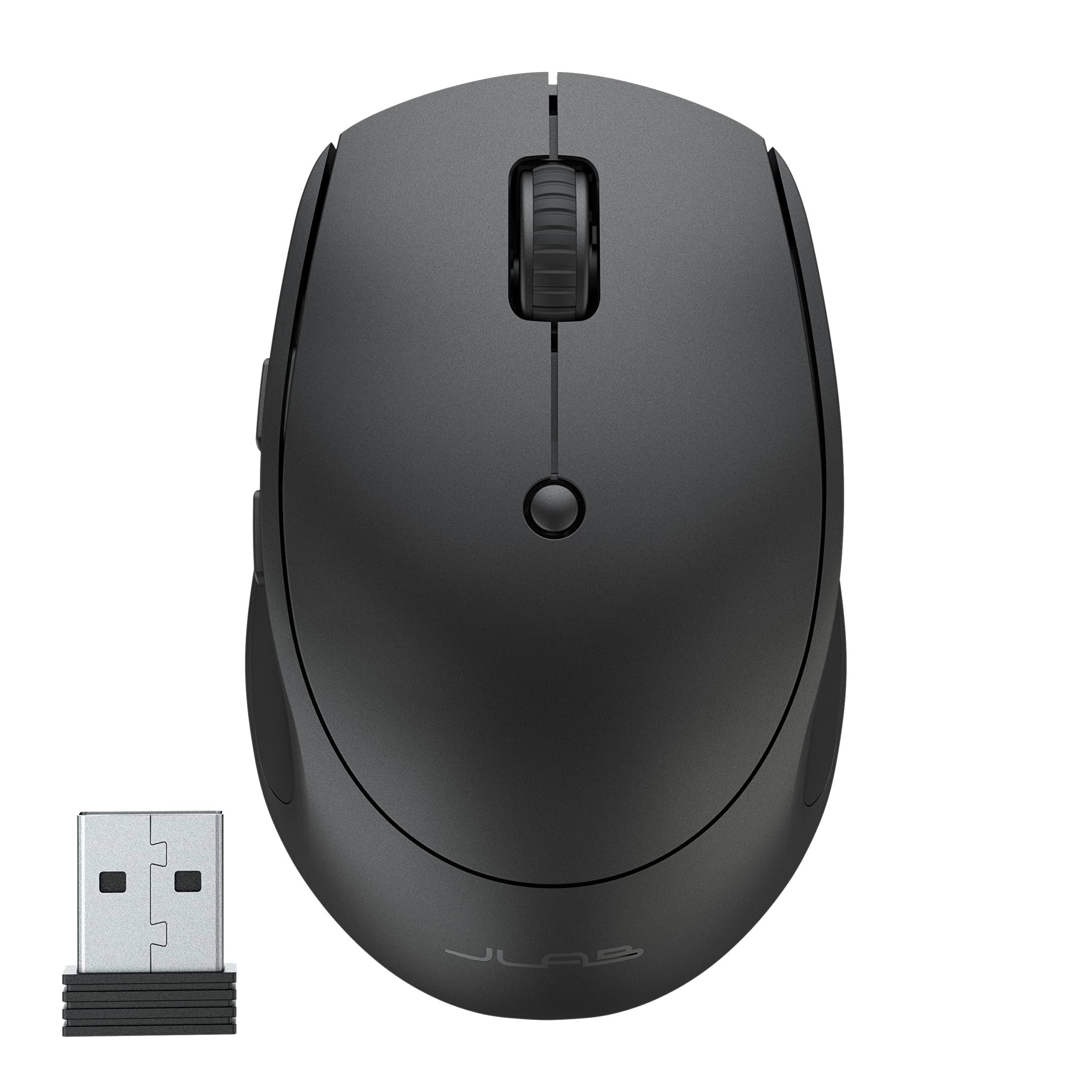
- Switch among three connected devices using Bluetooth or a USB dongle.
- Compact, lightweight body is suited to travel and mobile work.
- Silent buttons and adjustable tracking support quiet, controlled work.
Best For: Teachers and students who want a small rechargeable mouse that can switch among several devices.

JLab JBuds Wireless Mouse
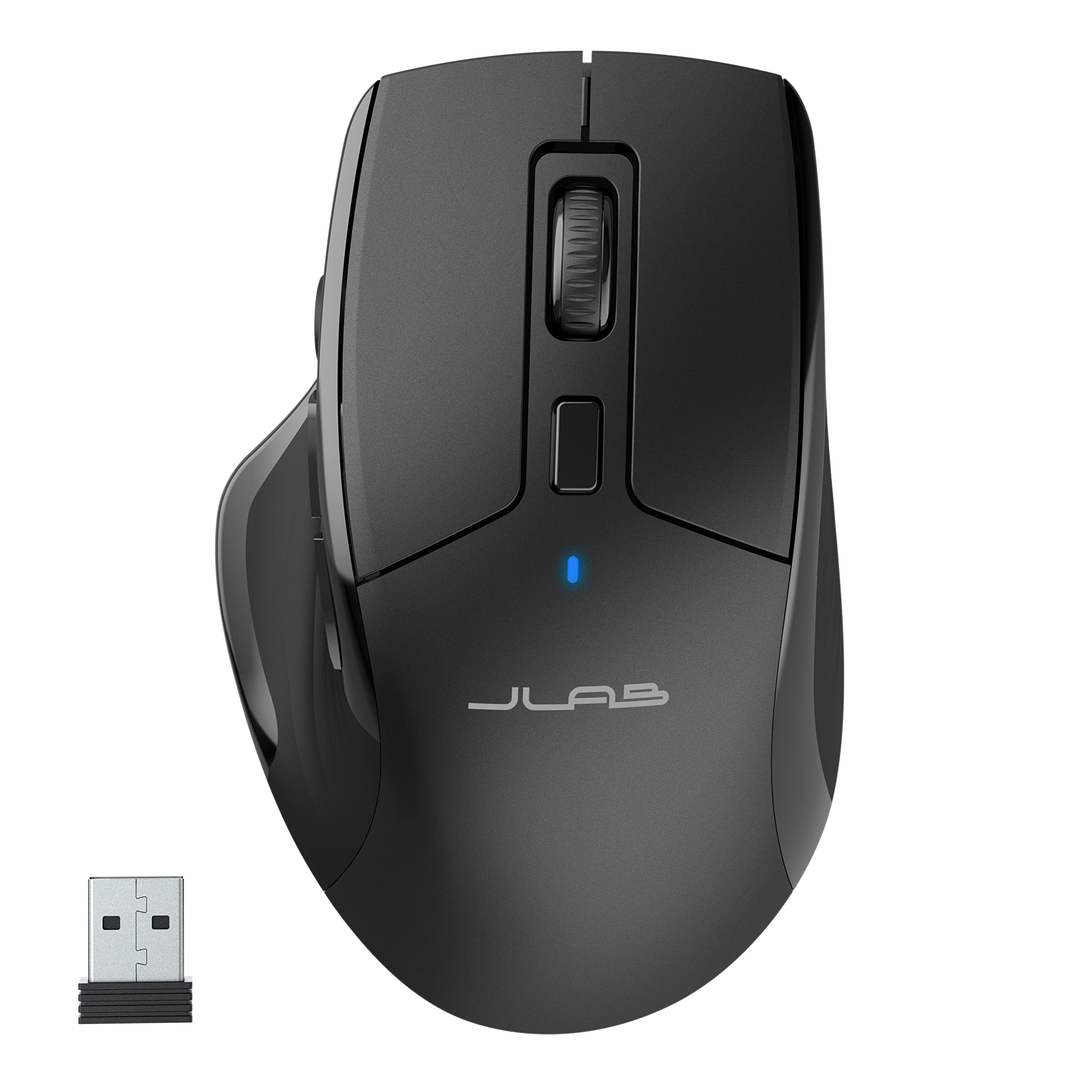
- Connects to as many as three devices via Bluetooth or USB dongle.
- Seven programmable buttons and adjustable tracking offer control options.
- Silent clicks make it suitable for quiet offices and calls.
Best For: People who want a full-size rechargeable mouse with quiet clicks and configurable buttons for a shared workspace.
JLab Epic Wireless Mouse
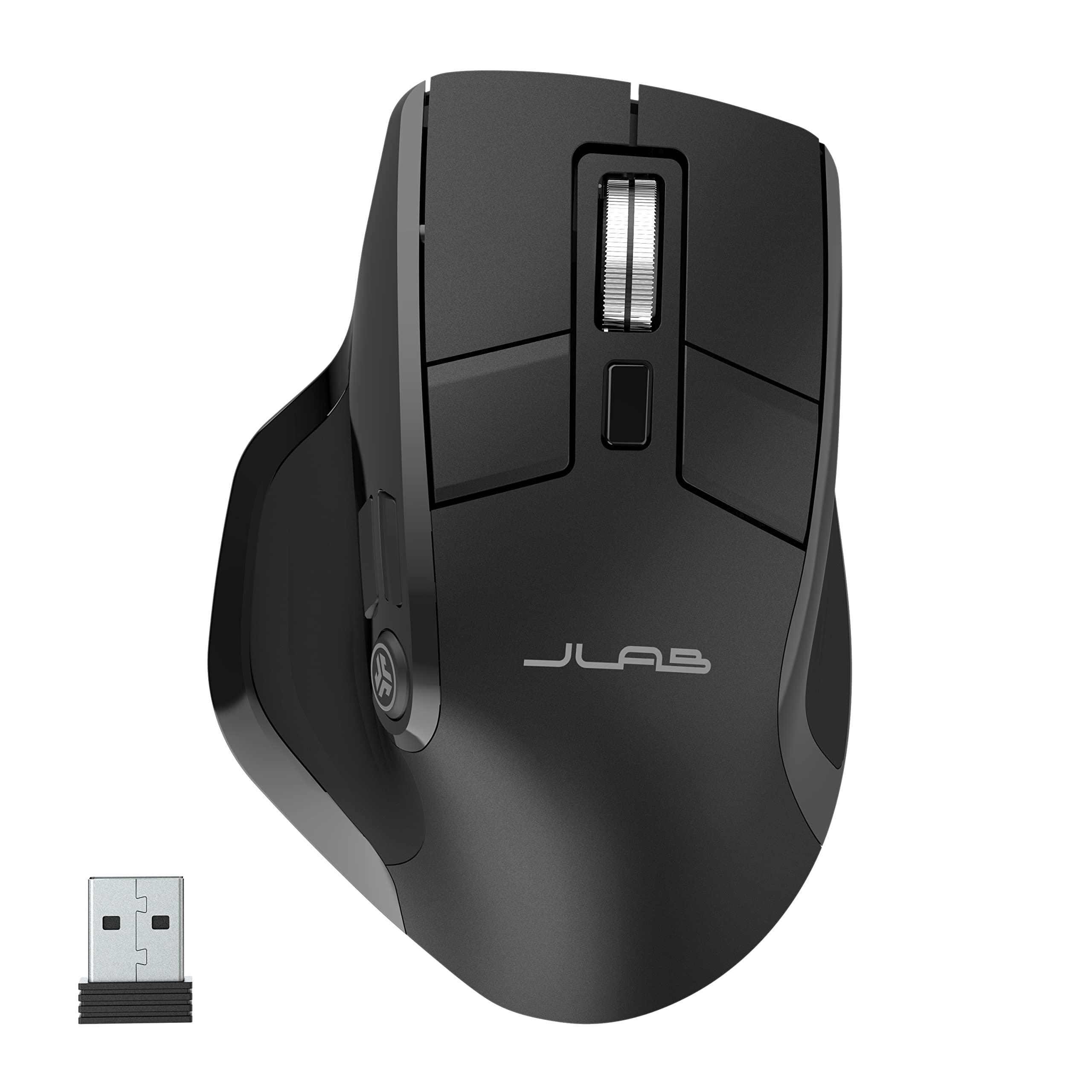
- OLED screen shows current DPI and battery level.
- Supports up to three devices over Bluetooth or a USB dongle.
- Silent clicks and a full-size ergonomic shape suit quiet desk work.
Best For: Office users who want visible battery and DPI status, quiet clicks, and saved profiles across devices.
ESR MagMouse Snap-to-Carry Bluetooth Mouse
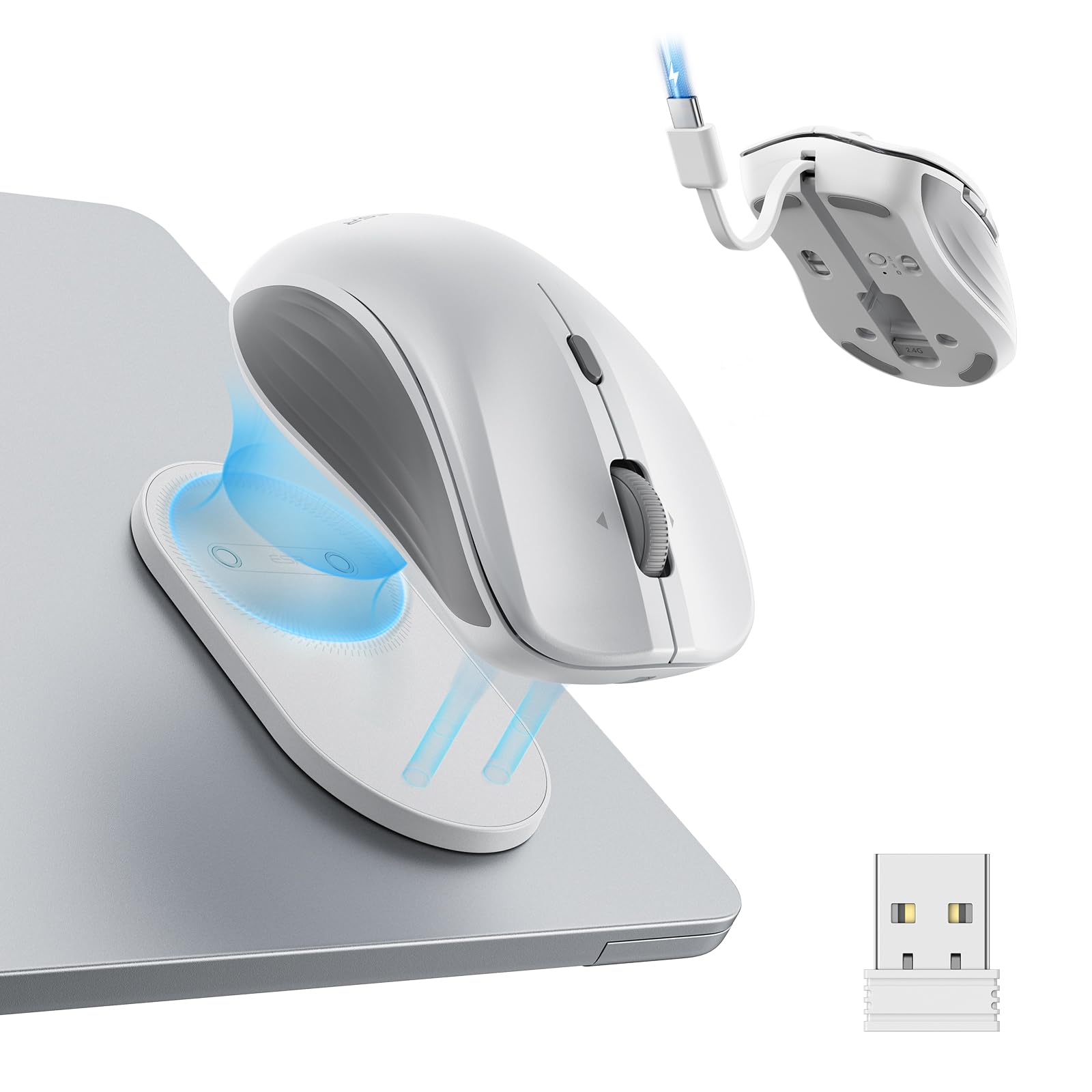
- Magnetic base attaches to a reusable, residue-free adhesive holder.
- Built-in USB-C cable supports charging without packing a separate cable.
- Offers Bluetooth 5.0 and 2.4 GHz dongle connections with six DPI levels.
Best For: Mobile workers who want a carryable mouse with a magnetic holder, built-in charging cable, and multiple connection modes.
Contour Unimouse Wireless
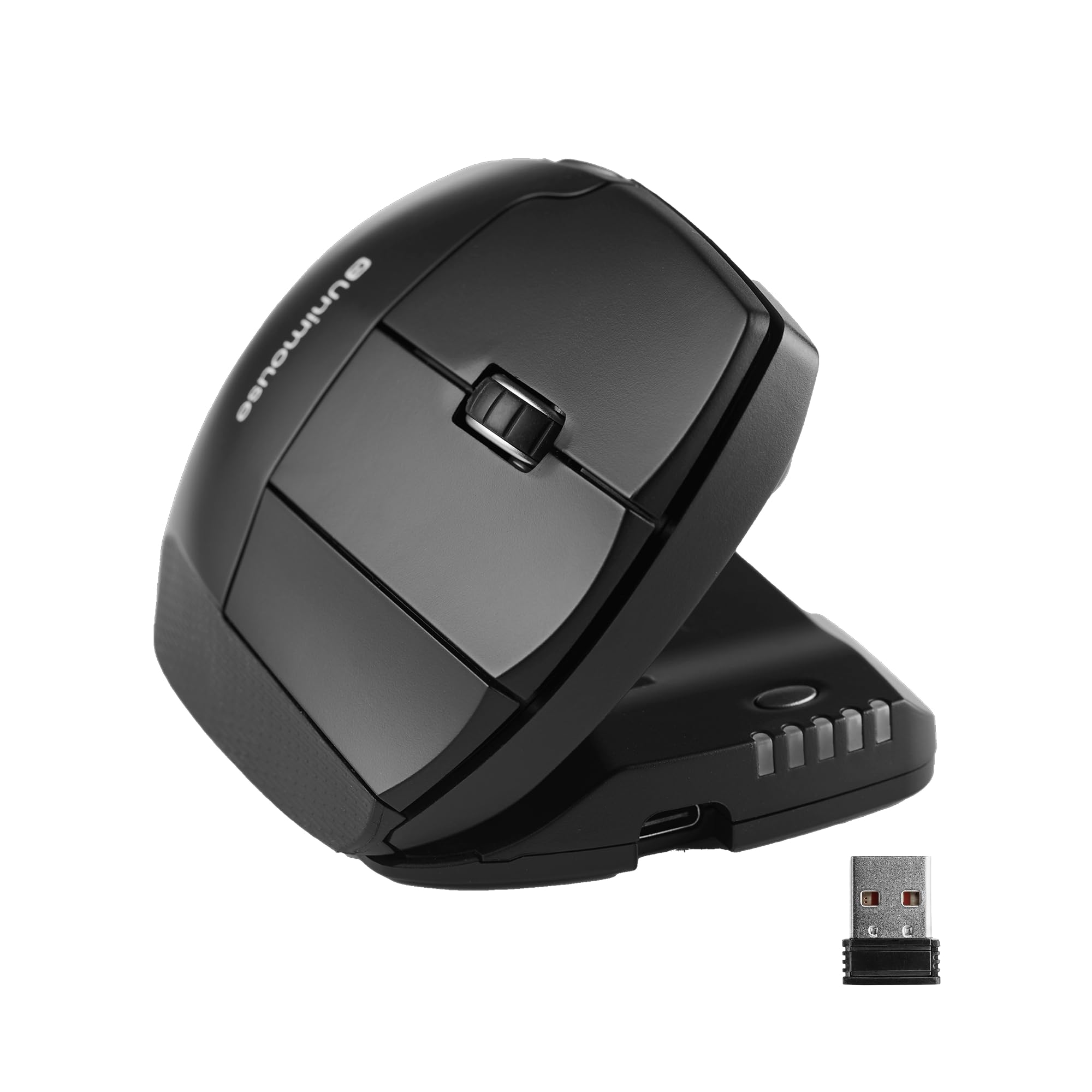
- Adjusts to tilt angles from 35° to 70°.
- Thumb support moves, pivots, and rotates to customize the grip.
- Six programmable buttons and a rechargeable battery support daily work.
Best For: Right-handed users who want to adjust mouse tilt, thumb support, and button functions to suit their grip.
SABRENT Mini Travel Wireless Mouse
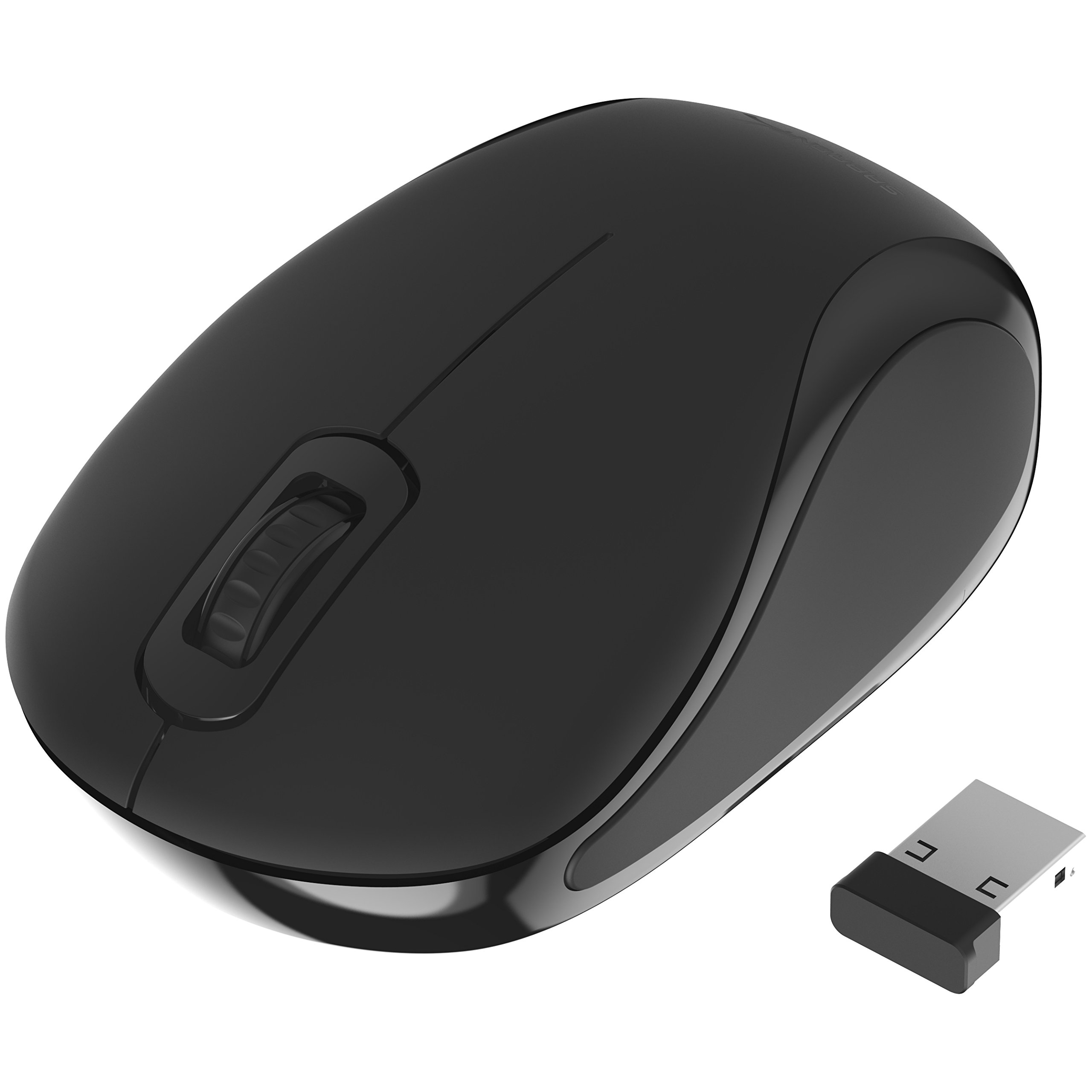
- Compact travel design uses a 2.4 GHz nano receiver.
- 1200 dpi optical tracking supports cursor control and text selection.
- Ambidextrous design and three-button layout keep operation simple.
Best For: Travelers who want a simple, lightweight mouse with a 2.4 GHz nano receiver and standard optical tracking.
SABRENT Rechargeable Wireless Mouse
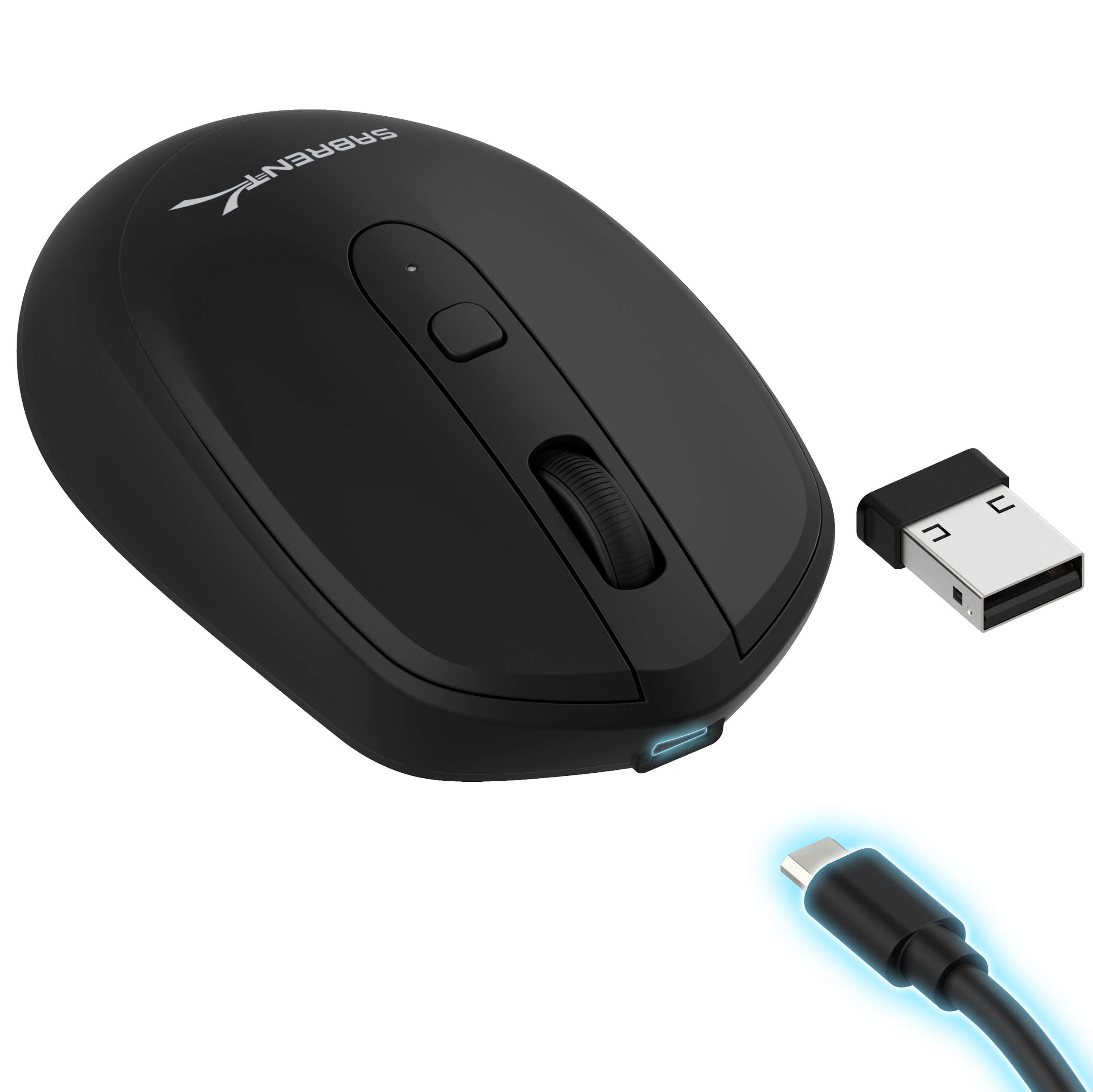
- Adjustable DPI settings are 800, 1200, and 1600.
- Includes a rechargeable 600 mAh lithium battery.
- Uses 2.4 GHz wireless transmission and has a DPI toggle button.
Best For: Budget-conscious users who want a simple rechargeable mouse with adjustable cursor sensitivity.
JLab Epic Wireless Mouse, 4 Pack
- Offer contains four JLab Epic mice.
- Connects by Bluetooth or USB wireless dongle and supports multiple devices.
- Full-size mouse includes an OLED display and a large scroll wheel.
Best For: Buyers seeking JLab Epic features across multiple workstations and who specifically need a four-mouse pack.
SteelSeries Aerox 5 Wireless
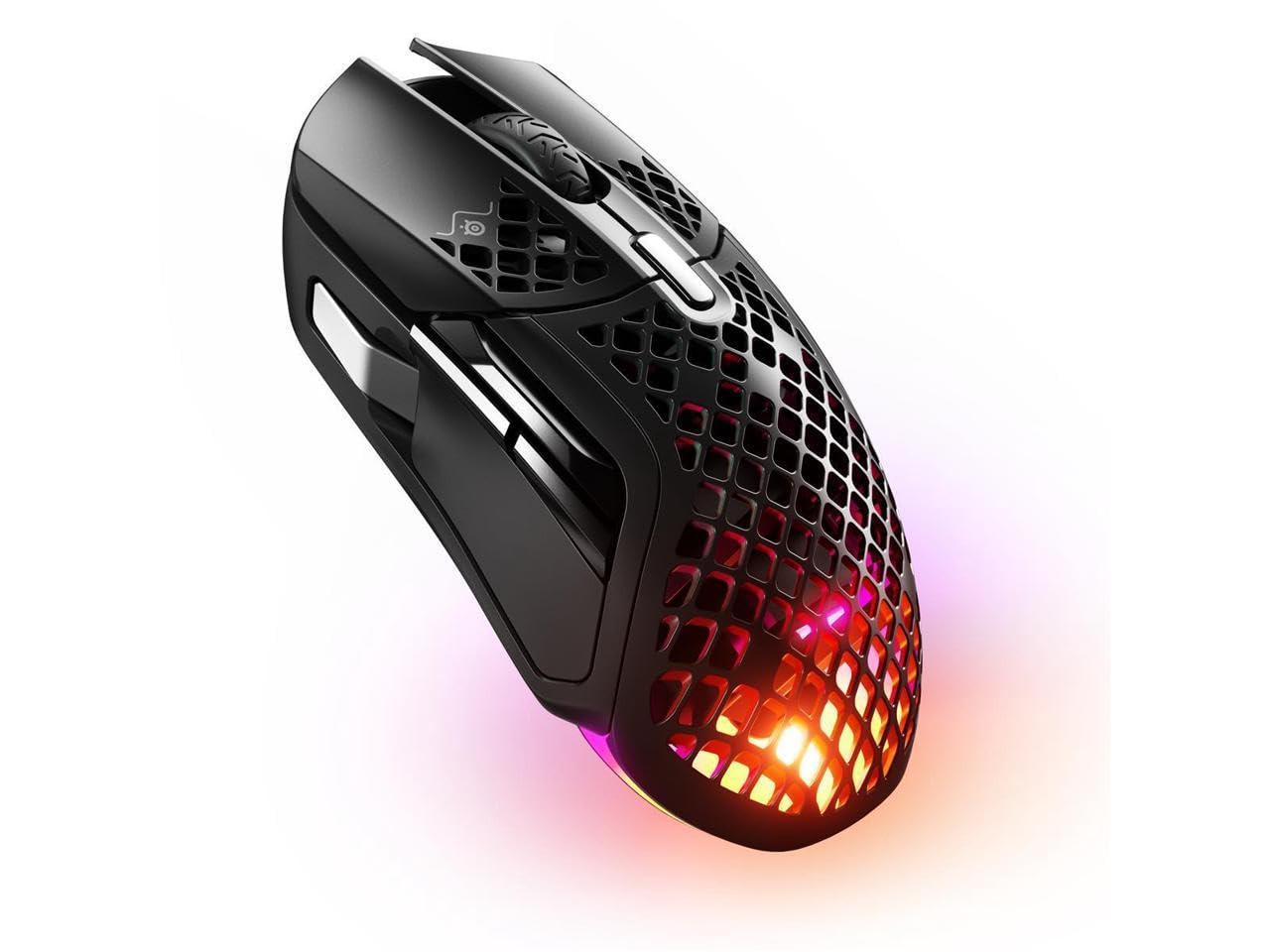
- Nine programmable buttons include a side panel and flick switch.
- Connects over Bluetooth 5.0 or 2.4 GHz wireless.
- Perforated shell weighs 74 g and has IP54-rated resistance technology.
Best For: Gamers who want a lightweight wireless mouse with several programmable controls and Bluetooth as well as 2.4 GHz.
SteelSeries Aerox 9 Wireless
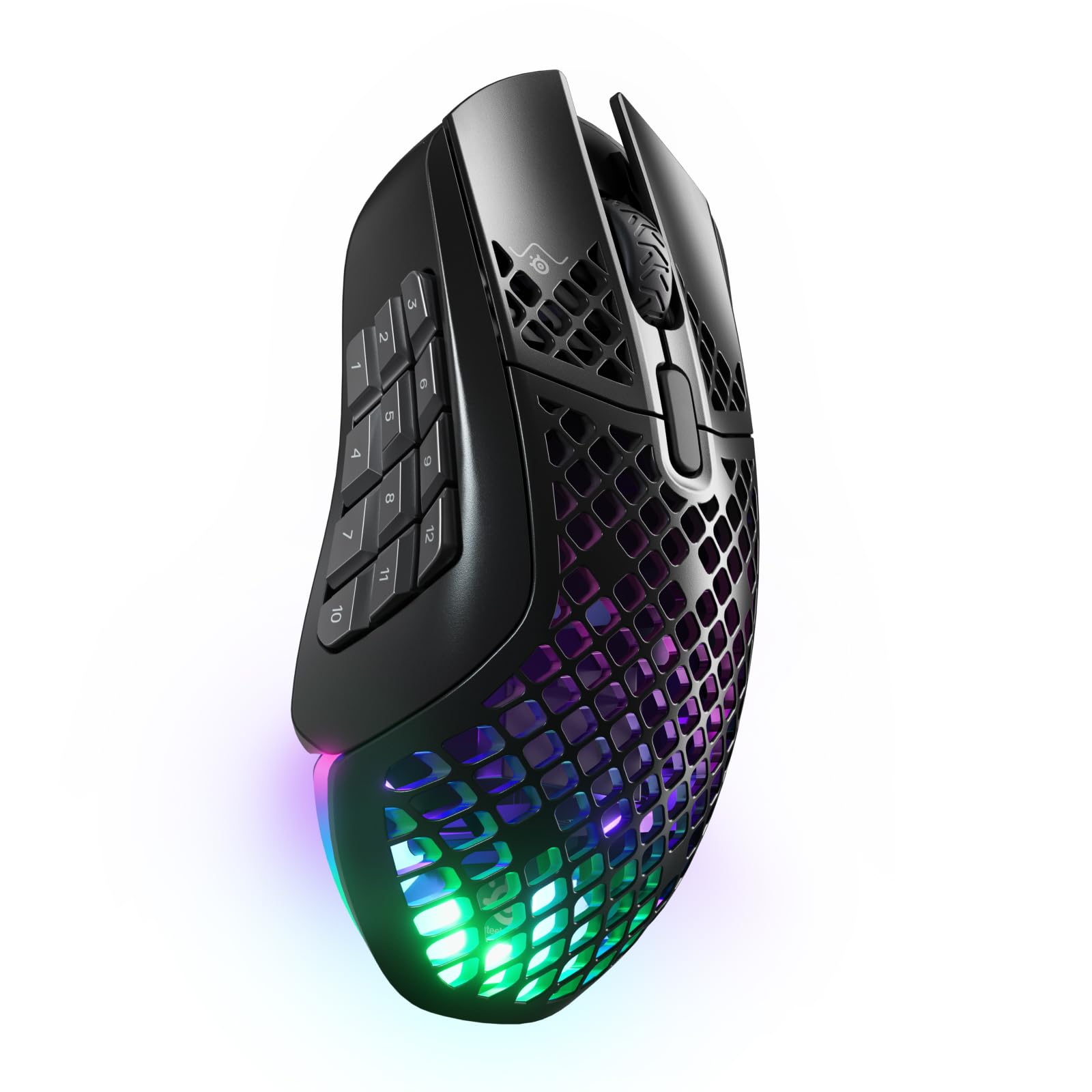
- Eighteen programmable buttons include a 12-button side panel.
- Offers 2.4 GHz and Bluetooth 5.0 wireless connections.
- Perforated body weighs 89 g and supports up to 180 hours of battery life.
Best For: Players and power users who want many programmable controls, including a side panel, in a wireless mouse.
Compact Mouse for Work on the Go
JLab, GO Charge, Wireless Mouse, Bluetooth, USB Dongle, Multi-Device, Compact, Rechargeable, Black
The JLab GO Charge pairs a compact shape with wireless connections through Bluetooth or a USB dongle. It can pair with three devices, which is useful when moving between a laptop, tablet, and desktop during the day.
Adjustable DPI lets you set cursor speed, and silent click buttons suit shared offices, libraries, or quiet teaching spaces. JLab says its rechargeable battery lasts four or more months per charge.
Its small form is easy to carry, though buyers who prefer a full-size grip may want to compare it with the larger JBuds or Epic models.
Best For: Teachers and students who want a small rechargeable mouse that can switch among several devices.
| Pros | Cons |
|---|---|
|
|
Choose the GO Charge when portability, quiet clicks, and switching among multiple devices are more important than a large hand-filling shape. Its listed battery life is a standout convenience, but actual use time can depend on how it is used.
Before buying, check whether the compact body fits your hand and whether your devices support Bluetooth or have a USB port for the dongle.
Full-Size Quiet Mouse for Shared Desks
JLab, JBuds, Wireless Mouse, Bluetooth, USB Dongle, Multi-Device, Silent Click, Full-Size, Black
The JBuds is a full-size wireless mouse with Bluetooth 5.2 and USB dongle connectivity. It can connect to as many as three devices, then switch between them, making it practical for a computer paired with a tablet or phone.
Seven programmable buttons and adjustable DPI let users tailor controls for documents, spreadsheets, or creative tasks. Silent click buttons reduce operating noise in shared offices or during calls.
It is rechargeable and works across Windows, Mac, iOS, Android, and Chrome OS. Buyers should note that software-based button customization depends on the JLab Work app.
Best For: People who want a full-size rechargeable mouse with quiet clicks and configurable buttons for a shared workspace.
| Pros | Cons |
|---|---|
|
|
Pick the JBuds if you want a full-size work mouse with silent clicks and customizable buttons, particularly when you regularly switch between devices. Its seven programmable buttons offer more customization than the compact GO Charge.
Check the app’s compatibility with your computer and confirm that the full-size shape and rechargeable setup suit your workspace.
OLED Status Display and Profile Switching
JLab, Epic, Wireless Mouse, Bluetooth, Multi-Device, OLED Display, Full-Size
The JLab Epic combines a full-size ergonomic shape with a small OLED display that shows battery level and current DPI. Its rechargeable 800 mAh battery reduces reliance on disposable cells, while Bluetooth 5.2 and a USB dongle provide connection choices.
The mouse can toggle among up to three paired devices and supports three custom profiles through the JLab Work app. Silent buttons are suited to quiet work areas.
The display and profile features distinguish it from simpler wireless mice, though battery runtime per charge is not given in the supplied details.
Best For: Office users who want visible battery and DPI status, quiet clicks, and saved profiles across devices.
| Pros | Cons |
|---|---|
|
|
The Epic suits users who want to see battery and DPI status without opening software, and who use different control profiles for separate tasks. The JLab Work app is part of the customization setup, so confirm it supports your operating system and workflow.
If you do not need the OLED display or profiles, a simpler multi-device model may cover the basics with fewer features to manage.
Travel Mouse with Built-In Charging Cable
ESR MagMouse Snap-to-Carry Bluetooth Mouse, Wireless Mouse for Laptop | Rechargeable Mouse with Built-in Charging Cable, Reusable Adhesive Holder, BT 5.0 + 2.4 GHz Connectivity, Ergonomic, White
The ESR MagMouse is designed around mobile use. Its magnetic base snaps to a reusable adhesive holder, and the mouse includes a built-in USB-C charging cable, so there is less need to pack a separate lead.
It connects through either Bluetooth 5.0 or a 2.4 GHz dongle. Six DPI settings and four-way scrolling give it flexibility for everyday navigation as well as wide spreadsheets and timelines.
The ergonomic shape has silent clicks, and the notes rate the buttons for 10 million presses. Check the holder’s placement and adhesive fit before relying on it for your laptop setup.
Best For: Mobile workers who want a carryable mouse with a magnetic holder, built-in charging cable, and multiple connection modes.
| Pros | Cons |
|---|---|
|
|
Choose MagMouse if carrying the mouse with your laptop is a priority and the holder-and-cable setup fits how you pack. Four-way scrolling is useful for broad spreadsheets or timelines, while Bluetooth and dongle modes give connection flexibility.
The reusable adhesive still requires a suitable attachment spot, so check your laptop surface and preferred placement before buying.
Highly Adjustable Right-Hand Ergonomic Shape
Contour Unimouse Ergonomic Vertical Mouse Adjustable 35°-70° Tilt Angle, 6 Programmable Buttons for Productivity, Customizable Thumb Rest for Wrist Pain Relief | Plug & Play Mac/PC - Wireless - Right
The Contour Unimouse takes an adjustable approach to ergonomic fit. Its tilt can be set from 35° to 70°, and the thumb support moves in several directions and rotates.
This gives right-handed users more ways to position the hand than a fixed-angle vertical mouse. Six programmable buttons and a smooth scroll wheel support productivity tasks.
It connects with a cordless USB receiver and has a rechargeable battery rated for up to 12 weeks per charge. The design is explicitly right-handed, so left-handed users should choose another option; buyers should also consider whether its larger adjustment range is worth the extra setup.
Best For: Right-handed users who want to adjust mouse tilt, thumb support, and button functions to suit their grip.
| Pros | Cons |
|---|---|
|
|
Choose the Unimouse if you want a vertical-style grip with meaningful adjustment of both tilt and thumb support. Its flexibility may help you find a preferred hand position, but setup requires more decisions than a fixed-shape mouse.
It is right-handed and uses a USB receiver, so verify your computer can accommodate that connection and that the adjustable form suits your desk routine.
Small Travel Mouse with Nano Receiver
SABRENT Mini Travel 2.4GHz Wireless Mouse with Nano Receiver (MS-WSML)
The SABRENT Mini Travel mouse is a straightforward wireless option for laptops and other personal computers. Its 2.4 GHz connection uses a nano receiver, while 1200 dpi optical tracking handles typical cursor movement and text selection.
The mouse is ambidextrous, has three buttons, and weighs 2 ounces according to the supplied details. It uses one AAA battery and is listed as compatible with Windows and Mac OS X versions in the notes.
This is a simpler choice than rechargeable multi-device models, so check your operating system and keep a spare battery available for travel.
Best For: Travelers who want a simple, lightweight mouse with a 2.4 GHz nano receiver and standard optical tracking.
| Pros | Cons |
|---|---|
|
|
The Mini Travel is a basic pick for users who value low weight and a small receiver over rechargeable power or multi-device features. Its 1200 dpi tracking and three-button layout are suited to everyday navigation.
Before choosing it, confirm the operating system compatibility for your computer and decide whether carrying AAA batteries is acceptable.
Rechargeable Mouse with Adjustable DPI
SABRENT 2.4GHz Rechargeable Wireless Mouse with Adjustable Resolution (MS-RCWM)
This SABRENT mouse keeps its feature set simple: it connects over 2.4 GHz wireless, has three buttons plus a DPI toggle, and includes a rechargeable 600 mAh lithium battery. The adjustable settings are 800, 1200, and 1600 DPI, offering a few practical cursor-speed choices for different tasks.
Fast charging is also listed. It may appeal to users who want to avoid replacing disposable batteries while keeping to a conventional mouse layout.
The details do not give battery runtime or dimensions, so check those points if long unplugged use or a specific hand fit is important.
Best For: Budget-conscious users who want a simple rechargeable mouse with adjustable cursor sensitivity.
| Pros | Cons |
|---|---|
|
|
Choose this SABRENT model if adjustable sensitivity and rechargeable power are your main requirements in a simple wireless mouse. Its three DPI settings are clearly defined, but the supplied details do not state how long a charge lasts or which operating systems are supported.
Verify those fit and compatibility details before relying on it as a travel or all-day work mouse.
Full-Size Mouse with OLED and Multi-Device Controls
JLab Epic Wireless Mouse, Bluetooth & USB dongle, Multi-Device, OLED Display, Full-Size, 4 Pack
This offer is a four-pack of JLab Epic wireless mice, with each mouse featuring a full-size shape, OLED display, and Bluetooth or USB dongle connectivity. The display shows battery status, and the notes describe adjustable tracking, custom profiles, and multi-device support.
Each mouse also has a large 5.5 inch scroll wheel and rechargeable batteries rated for up to 10 hours of use per charge. Because it is a multi-unit pack, it makes more sense for outfitting several desks or keeping spares than for someone shopping for one mouse.
Confirm the pack quantity and runtime fit before purchase.
Best For: Buyers seeking JLab Epic features across multiple workstations and who specifically need a four-mouse pack.
| Pros | Cons |
|---|---|
|
|
This offer fits a department, classroom, or household equipping several desks, especially if OLED status and multi-device switching are useful. It is a bundle rather than a single-mouse purchase, and its stated runtime is up to 10 hours per charge.
Check the quantity and charging needs against the number of users before selecting it for an individual setup.
Lightweight Gaming Mouse with Nine Buttons
SteelSeries Aerox 5 Wireless - Holey RGB Gaming Mouse - Ultra-lightweight Water Resistant Design - 9 Buttons – Bluetooth/2.4 GHz - 18K DPI TrueMove Air Optical Sensor
The SteelSeries Aerox 5 Wireless combines a perforated lightweight shell with nine programmable buttons, including a side panel and an up/down flick switch. It supports Bluetooth 5.0 and 2.4 GHz wireless, giving users a choice between gaming-oriented connectivity and general device use.
The notes give a weight of 74 g, battery life up to 180 hours, and an IP54 rating for the water and dust resistance technology. Its button count may also help with shortcut-heavy workflows.
Buyers should consider whether they need the extra controls and whether the perforated shell suits their preferred mouse feel.
Best For: Gamers who want a lightweight wireless mouse with several programmable controls and Bluetooth as well as 2.4 GHz.
| Pros | Cons |
|---|---|
|
|
The Aerox 5 is a fit for gamers or shortcut-heavy users who want more programmable controls than a conventional office mouse provides. Bluetooth expands its everyday flexibility, while 2.4 GHz supports its gaming focus.
Consider the open shell and whether you will use the side controls; a simpler model may be easier to manage for routine pointer work.
Gaming Mouse with 18 Programmable Buttons
SteelSeries Aerox 9 Wireless - Holey RGB Gaming Mouse - Ultra-lightweight Water Resistant Design - 18 Buttons – Bluetooth/2.4 GHz - 18K DPI TrueMove Air Optical Sensor
The Aerox 9 Wireless places 18 programmable buttons on a lightweight gaming mouse, including a 12-button side panel. It connects through 2.4 GHz or Bluetooth 5.0 and uses a perforated shell that weighs 89 g.
Battery life is rated for up to 180 hours, and its Aquabarrier technology is rated IP54 against water splashes, dust, and dirt. The abundant buttons can suit games and workflows with many shortcuts, but they take more space on the thumb side than simpler designs.
It is a specialized pick when programmable access matters more than minimal controls.
Best For: Players and power users who want many programmable controls, including a side panel, in a wireless mouse.
| Pros | Cons |
|---|---|
|
|
Choose the Aerox 9 if you have a real use for its 18 programmable buttons, such as assigning frequent commands to the side panel. It offers both Bluetooth and 2.4 GHz and a long stated battery runtime.
If you mainly use a few standard controls, a simpler mouse can reduce button clutter and provide a more familiar layout.
How to Choose Wireless Mice
How We Picked Best Wireless Mice
This selection covers different reasons to choose wireless: quiet office work, switching between devices, carrying a mouse with a laptop, adjusting grip, or adding gaming controls. We favored products whose records gave concrete details about connection type, battery or charging, button layout, size, or adjustability.
The result includes compact and full-size work mice, simple travel models, and gaming designs with distinct control layouts.
For teaching and study, practical fit can matter more than a long feature list. A quiet click design is useful in shared offices and during calls, while a compact mouse may travel more easily between a classroom, home, and campus.
Check the connection and operating system support for your devices before choosing.
Comparing Best Wireless Mice for Work and Play
The main differences are shape, connection, power, and controls. The JLab GO Charge is compact and switches among three devices, while the JBuds and Epic are full-size options with silent clicks and more customization.
The Epic also adds an OLED display for battery and DPI information. The ESR MagMouse prioritizes carrying convenience with a magnetic holder and built-in charging cable; the SABRENT models keep things simpler, with one offering a nano receiver and AAA power and the other using a rechargeable battery.
Ergonomic adjustment is the Unimouse’s defining feature: its tilt and thumb support can be repositioned, but it is made for right-handed users and connects by USB receiver. Gaming models add specialized controls.
Aerox 5 has nine buttons, while Aerox 9 expands to 18 and a 12-button side panel. Choose those layouts when the extra commands serve a real purpose; everyday pointer work may call for fewer buttons.
| Product | Standout features | Best for |
|---|---|---|
| JLab GO Charge Wireless MouseCheck Price |
| Teachers and students who want a small rechargeable mouse that can switch among several devices. |
| JLab JBuds Wireless MouseCheck Price |
| People who want a full-size rechargeable mouse with quiet clicks and configurable buttons for a shared workspace. |
| JLab Epic Wireless MouseCheck Price |
| Office users who want visible battery and DPI status, quiet clicks, and saved profiles across devices. |
| ESR MagMouse Snap-to-Carry Bluetooth MouseCheck Price |
| Mobile workers who want a carryable mouse with a magnetic holder, built-in charging cable, and multiple connection modes. |
| Contour Unimouse WirelessCheck Price |
| Right-handed users who want to adjust mouse tilt, thumb support, and button functions to suit their grip. |
| SABRENT Mini Travel Wireless MouseCheck Price |
| Travelers who want a simple, lightweight mouse with a 2.4 GHz nano receiver and standard optical tracking. |
| SABRENT Rechargeable Wireless MouseCheck Price |
| Budget-conscious users who want a simple rechargeable mouse with adjustable cursor sensitivity. |
| JLab Epic Wireless Mouse, 4 PackCheck Price |
| Buyers seeking JLab Epic features across multiple workstations and who specifically need a four-mouse pack. |
| SteelSeries Aerox 5 WirelessCheck Price |
| Gamers who want a lightweight wireless mouse with several programmable controls and Bluetooth as well as 2.4 GHz. |
| SteelSeries Aerox 9 WirelessCheck Price |
| Players and power users who want many programmable controls, including a side panel, in a wireless mouse. |
Choosing a Wireless Mouse for a Classroom or Shared Office
Quiet clicks can reduce distraction in classrooms, libraries, shared work areas, and video calls. JLab’s GO Charge, JBuds, and Epic all include silent click designs.
For a teacher using a laptop and another device, multi-device switching can cut down on swapping peripherals. Compare the stated device support and choose a model with the connection your computer can use, whether Bluetooth or a USB dongle.
Consider charging habits as well. The GO Charge gives a long stated battery estimate, the ESR MagMouse has a built-in cable, and the SABRENT rechargeable model provides a defined battery capacity without a runtime figure.
The Sabrent Mini Travel uses a replaceable AAA cell. If a mouse will be shared among staff or students, the four-pack JLab Epic offer may suit several desks, but it is not a single-unit purchase.
What to Check Before Buying a Portable Wireless Mouse
A travel mouse should fit both your bag and your hand. The Mini Travel is described as lightweight and weighs 2 ounces, while the GO Charge is explicitly compact.
ESR’s holder attaches with reusable adhesive, so check the laptop surface and placement before relying on the snap-to-carry setup. If you prefer a full-size grip, look to the JBuds or Epic instead of assuming that every wireless mouse is equally comfortable to carry and use.
Connection details are especially important when a laptop has limited ports. Bluetooth models can avoid using a receiver, while a USB dongle can be useful for devices without Bluetooth support.
Some products offer both, but confirm which connection mode works with your equipment and operating system.
Who Should Buy Which Wireless Mouse?
Choose the GO Charge for compact multi-device use, the JBuds for full-size quiet work with programmable buttons, and the Epic when visible battery and DPI information are useful. The ESR MagMouse fits mobile workers who want an integrated cable and holder.
The Unimouse is for right-handed buyers who want to adjust the tilt and thumb rest, while either SABRENT model suits a simpler setup; decide whether you prefer a nano receiver with AAA power or adjustable DPI with a rechargeable battery.
For gaming or shortcut-heavy work, the Aerox 5 offers nine programmable buttons and the Aerox 9 offers 18. Match the control count to the commands you will actually use.
Buyers who need several Epic mice for a school or office can consider the four-pack, while anyone equipping only one workstation should compare single-mouse options.