This sabrent hdd docking station review looks at the DS-4SSD, a four-bay USB 3.0 dock designed for 2.5-inch SATA SSDs and hard drives.
Its appeal is straightforward: keep several compatible drives accessible in one place, with tool-free swapping and an included cooling fan.
SABRENT DS-4SSD Review Summary
The quick verdict
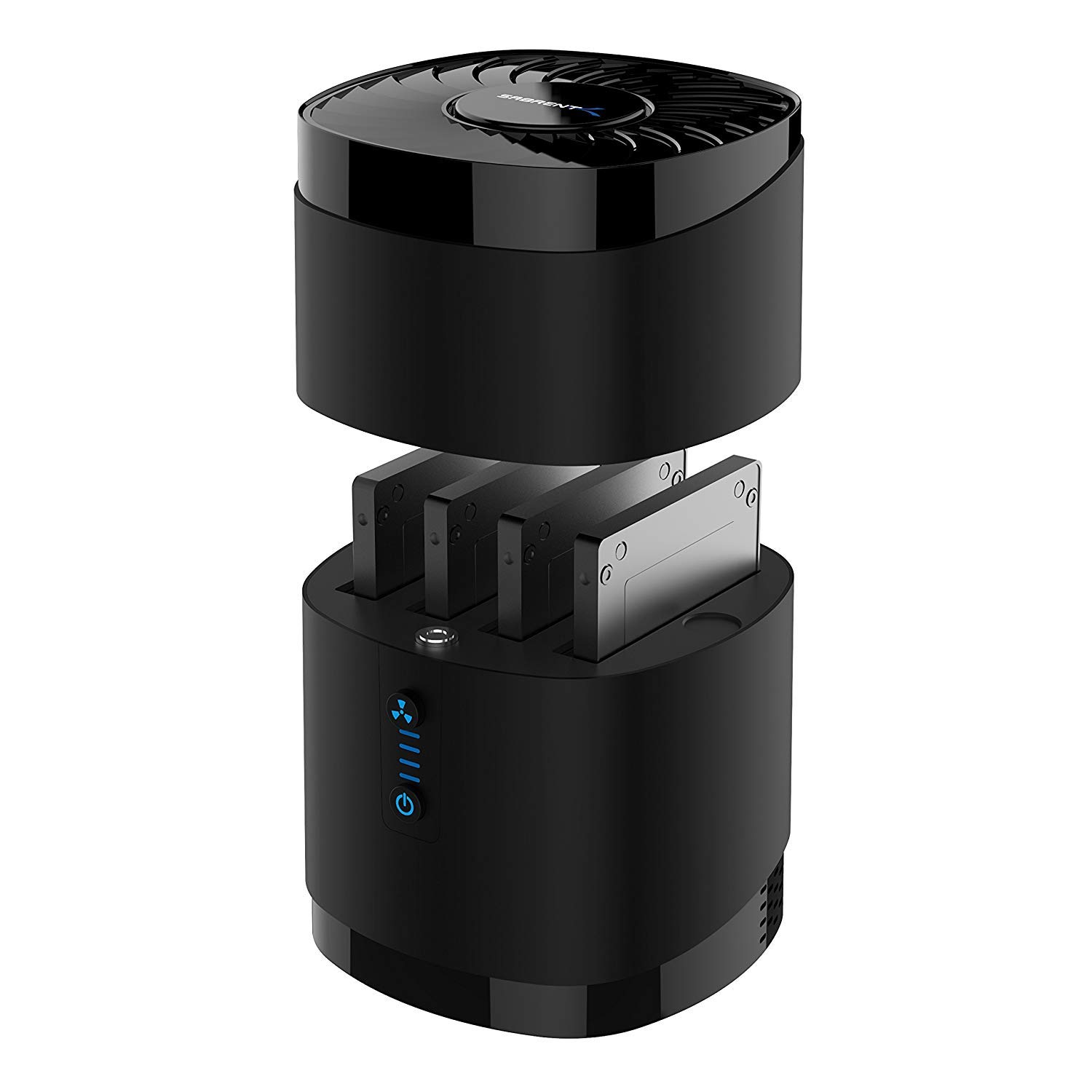
3,000+ ratings
Read Amazon ReviewsSABRENT DS-4SSD 4-Bay Docking Station
A practical choice for people who regularly access several slim 2.5-inch SATA SSDs or hard drives from one computer.
- Four bays for 2.5-inch SATA SSDs or HDDs.
- Supports up to 16 TB per bay, for up to four drives, and accepts drives up to 12.5 mm thick.
- USB 3.0 interface with transfer speeds up to 5 Gbps; backward compatible with USB 2.0 and 1.1.
- Tool-free drive access with a magnetic cover for quicker swapping.

Pros
- Four drive bays make it convenient to keep multiple compatible drives connected in one workspace.
- Tool-free access and the magnetic cover simplify drive changes.
Consider before buying
- It is limited to 2.5-inch SATA drives up to 12.5 mm thick, so 15 mm drives and other drive formats are outside its supported fit.
- RAID is not supported, so the four bays should not be mistaken for a RAID enclosure.
Read the full review summary
The DS-4SSD is built for people who rotate among multiple 2.5-inch SATA drives, such as anyone organizing project files, archives, or backups across separate disks.
Four bays reduce the need to repeatedly connect and disconnect individual drives, while the magnetic cover and tool-free access make swaps simpler.
Its fit is specific. The dock supports drives up to 12.5 mm thick and lists capacity support up to four 16 TB drives, but it does not support RAID or 15 mm drives.
USB 3.0 offers a maximum interface rate of 5 Gbps, and the included fan is intended to help cool drives; neither point guarantees a particular real-world transfer rate or temperature.
Check your drive dimensions and workflow before choosing it.
The buying factors
SABRENT DS-4SSD Scorecard
Editorial scores reflect listed features and buyer fit; they are not laboratory measurements or customer ratings.
Multi-drive access
Four bays let compatible 2.5-inch SATA drives stay accessible together.
Drive swapping
Tool-free access and a magnetic cover suit frequent drive changes.
Capacity support
The stated maximum is up to four 16 TB drives, subject to drive compatibility.
Host compatibility
Standard operation is described for Windows, macOS, and Linux, with USB 2.0 and 1.1 backward compatibility.
Interface ceiling
USB 3.0 supports up to 5 Gbps, but the actual rate depends on the full setup.
Drive-format flexibility
The design is limited to 2.5-inch SATA drives up to 12.5 mm thick and does not support RAID.
Key Features and Specifications of SABRENT DS-4SSD
- Four bays for 2.5-inch SATA SSDs or HDDs.
- Supports up to 16 TB per bay, for up to four drives, and accepts drives up to 12.5 mm thick.
- USB 3.0 interface with transfer speeds up to 5 Gbps; backward compatible with USB 2.0 and 1.1.
- Tool-free drive access with a magnetic cover for quicker swapping.
- Built-in fan with an optional on/off switch for noise and power control.
- Plug-and-play operation for standard use with Windows, macOS, and Linux; no drivers required.
- Not compatible with RAID or 15 mm drives.
Pros and Cons of SABRENT DS-4SSD
Pros
- Four drive bays make it convenient to keep multiple compatible drives connected in one workspace.
- Tool-free access and the magnetic cover simplify drive changes.
- The stated capacity ceiling accommodates drives up to 16 TB in each bay.
- An included fan and optional switch give buyers some control over cooling and fan noise.
- Standard plug-and-play support across Windows, macOS, and Linux keeps setup simple.
Consider before buying
- It is limited to 2.5-inch SATA drives up to 12.5 mm thick, so 15 mm drives and other drive formats are outside its supported fit.
- RAID is not supported, so the four bays should not be mistaken for a RAID enclosure.
- USB 3.0's 5 Gbps figure is a maximum interface rate, not a promised sustained drive speed.
Who Should Buy SABRENT DS-4SSD?
Good fit
Consider the DS-4SSD if you work with several 2.5-inch SATA drives and want them accessible from one computer.
Four bays can make a rotating archive or project-drive setup easier to manage, especially when you frequently swap disks without wanting to open a case or use screws.
It also suits buyers who value broad desktop operating-system support and a built-in fan with a switch.
Before buying, confirm that every drive is no thicker than 12.5 mm, that your workflow does not depend on RAID, and that the dock’s USB connection matches the ports you intend to use.
Who should skip it
Skip this dock if you need to connect 3.5-inch drives, 15 mm drives, or a non-SATA format. Its documented design is for 2.5-inch SATA SSDs and HDDs.
Look elsewhere if your goal is a RAID setup or if your work requires a guaranteed sustained transfer rate. The listed USB ceiling alone cannot predict the speed of a particular drive and computer combination.
How the SABRENT DS-4SSD Fits a Multi-Drive Workflow
Four bays for a drive rotation
The main practical benefit is having as many as four compatible drives in the dock at once. That can reduce the routine of connecting one disk, removing it, and attaching another whenever a task moves between separate drives.
The design is most useful when those drives are all 2.5-inch SATA models within the stated thickness limit.
Capacity and physical fit
Support is listed up to 16 TB per bay, or four drives at that maximum, but a capacity figure does not settle physical compatibility.
Check the dimensions and interface of each specific drive; the dock excludes 15 mm drives and does not provide RAID.
Buyers who need a different drive size or a combined storage array should treat those as core requirements, not minor details.
Understanding the USB 3.0 ceiling
USB 3.0 is rated for up to 5 Gbps here, with backward compatibility for USB 2.0 and 1.1.
That gives a useful sense of the interface, but actual file transfers depend on the drives, host connection, and other parts of the setup.
Choose the dock for convenient multi-drive access rather than assuming the maximum figure describes every copy operation.
Cooling and everyday control
A built-in fan is included, and an optional switch allows noise and power control. This gives the dock a cooling feature while letting the user choose whether to run the fan, depending on their priorities and use.
The description does not establish a particular temperature or noise level, so buyers sensitive to either should consider how they plan to use it and where the dock will sit.
Alternatives to SABRENT DS-4SSD
Hard Drive Docking Stations alternative
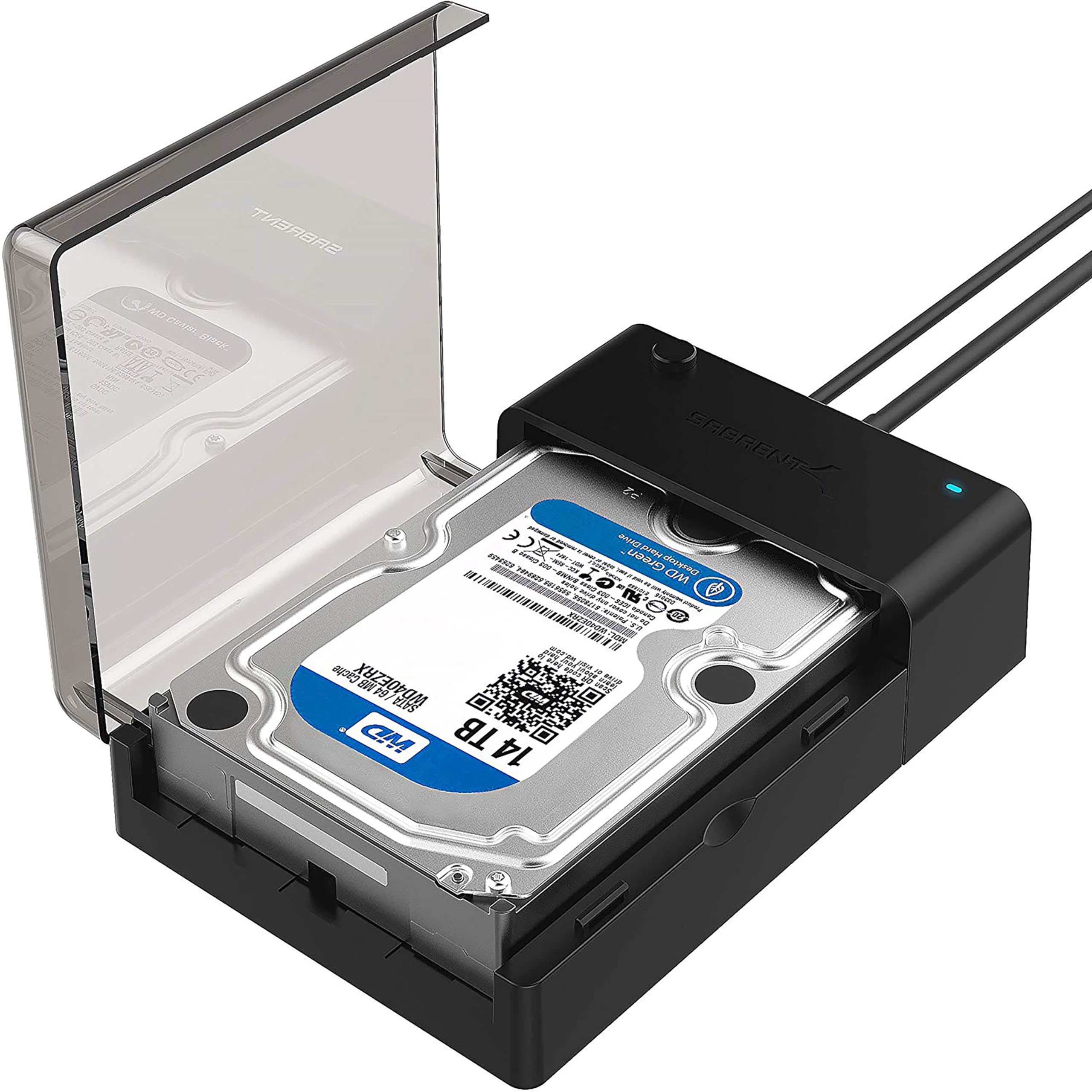
37,000+ ratings
Read Amazon ReviewsSABRENT EC-DFLT Lay-Flat SATA Dock
Choose the DS-4SSD when keeping several slim SATA drives accessible is the priority. The EC-DFLT is a better fit when one-at-a-time access and support for either 2.5- or 3.5-inch SATA drives matter more.
- The EC-DFLT is a single-drive lay-flat dock for 2.5- or 3.5-inch SATA HDDs and SSDs.
- It supports UASP on a compatible host and connects over USB 3.0 Type-A; its stated drive compatibility excludes formats such as M.2 and IDE/PATA.
- The DS-4SSD keeps up to four 2.5-inch SATA drives in a single dock, with tool-free swapping and a built-in fan.
Hard Drive Docking Stations alternative

1,000+ ratings
Read Amazon ReviewsSABRENT EC-CH2B Dual-Bay USB-C Dock
Choose the DS-4SSD for capacity to keep more 2.5-inch drives connected at once. The EC-CH2B better suits a workflow involving two drive sizes, simultaneous access to two drives, or offline cloning.
- The EC-CH2B supports two 2.5- or 3.5-inch SATA drives, reads and writes both simultaneously, and offers offline cloning.
- It is tool-free, has an access LED, and lists transfer speeds up to 5 Gbps.
- The DS-4SSD provides four bays for 2.5-inch SATA drives, with a USB 3.0 interface rated up to 5 Gbps.
Is SABRENT DS-4SSD Worth It?
The SABRENT DS-4SSD is worth considering if your routine involves several 2.5-inch SATA SSDs or HDDs and you want tool-free access from one dock.
Four bays, broad standard operating-system support, and a built-in fan make it a convenient fit for a multi-drive workspace.
Buy only after confirming drive thickness and format, and do not count on RAID or a particular sustained speed. If those limits match your needs, the DS-4SSD offers a focused way to keep compatible drives within easy reach.
Your review at a glance
3,000+ ratings
Read Amazon ReviewsSABRENT DS-4SSD 4-Bay Docking Station
A practical choice for people who regularly access several slim 2.5-inch SATA SSDs or hard drives from one computer.
- Four bays for 2.5-inch SATA SSDs or HDDs.
- Supports up to 16 TB per bay, for up to four drives, and accepts drives up to 12.5 mm thick.
- USB 3.0 interface with transfer speeds up to 5 Gbps; backward compatible with USB 2.0 and 1.1.
- Tool-free drive access with a magnetic cover for quicker swapping.