The best headphones for work depend on whether your day centers on meetings, concentrated listening, or moving between both. These picks span call-focused headsets, open-ear designs, noise reduction, and straightforward wired options, so match the fit and controls to your workspace.
Quick Top Products
SHOKZ OpenComm2
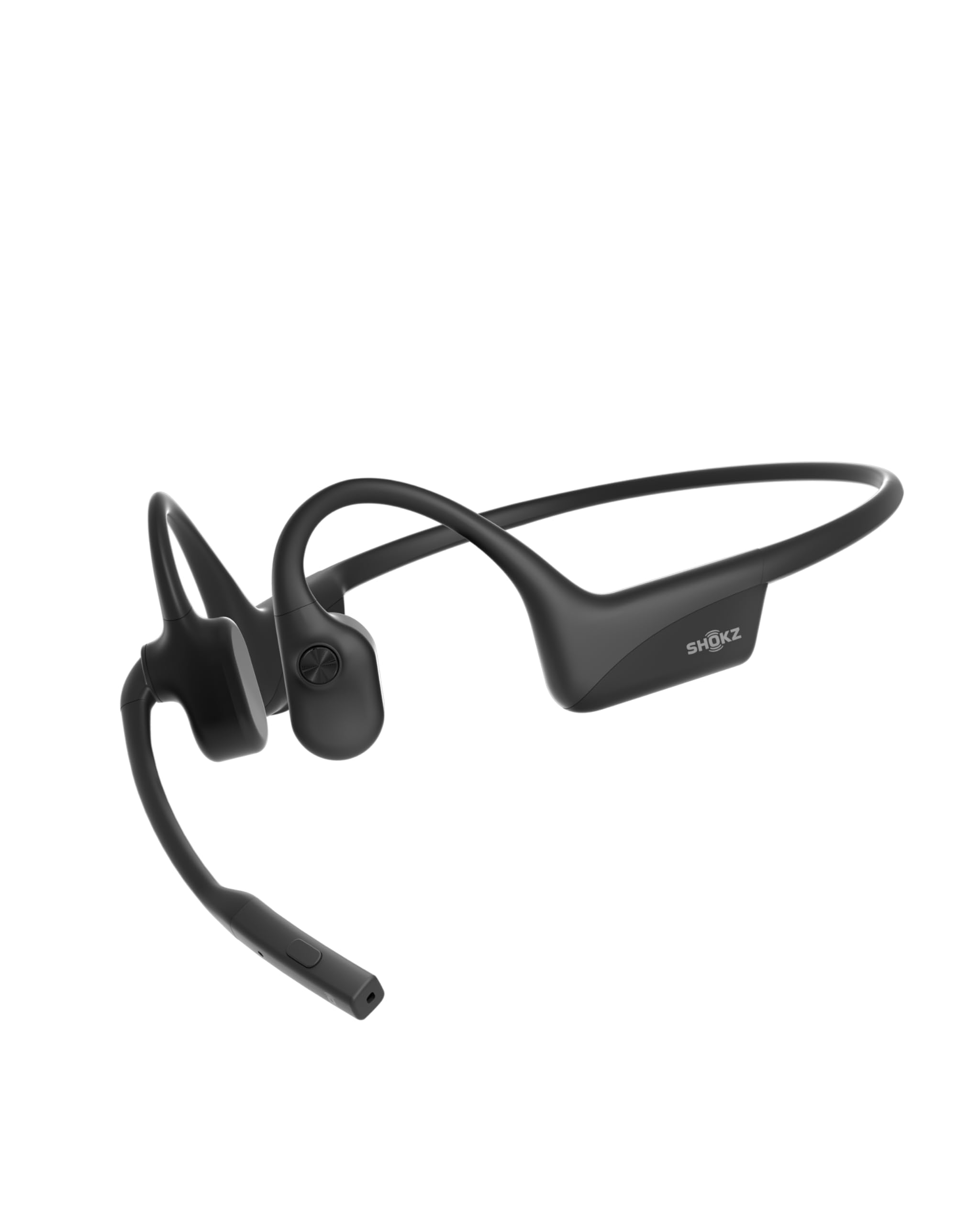
- Open-ear bone conduction leaves the ear canals unobstructed.
- Noise-canceling microphone and mute button are geared to meetings.
- Connect two devices and switch between them.
Best For: People who spend much of the workday on calls and want an open-ear fit.

JLab Go Work

- Dual microphones support clearer calls.
- Boom mic rotates away for listening-only use.
- Includes a wired cable and supports two-device pairing.
Best For: Remote workers who want a boom microphone, call controls, and wired backup.
JLab JBuds Lux ANC
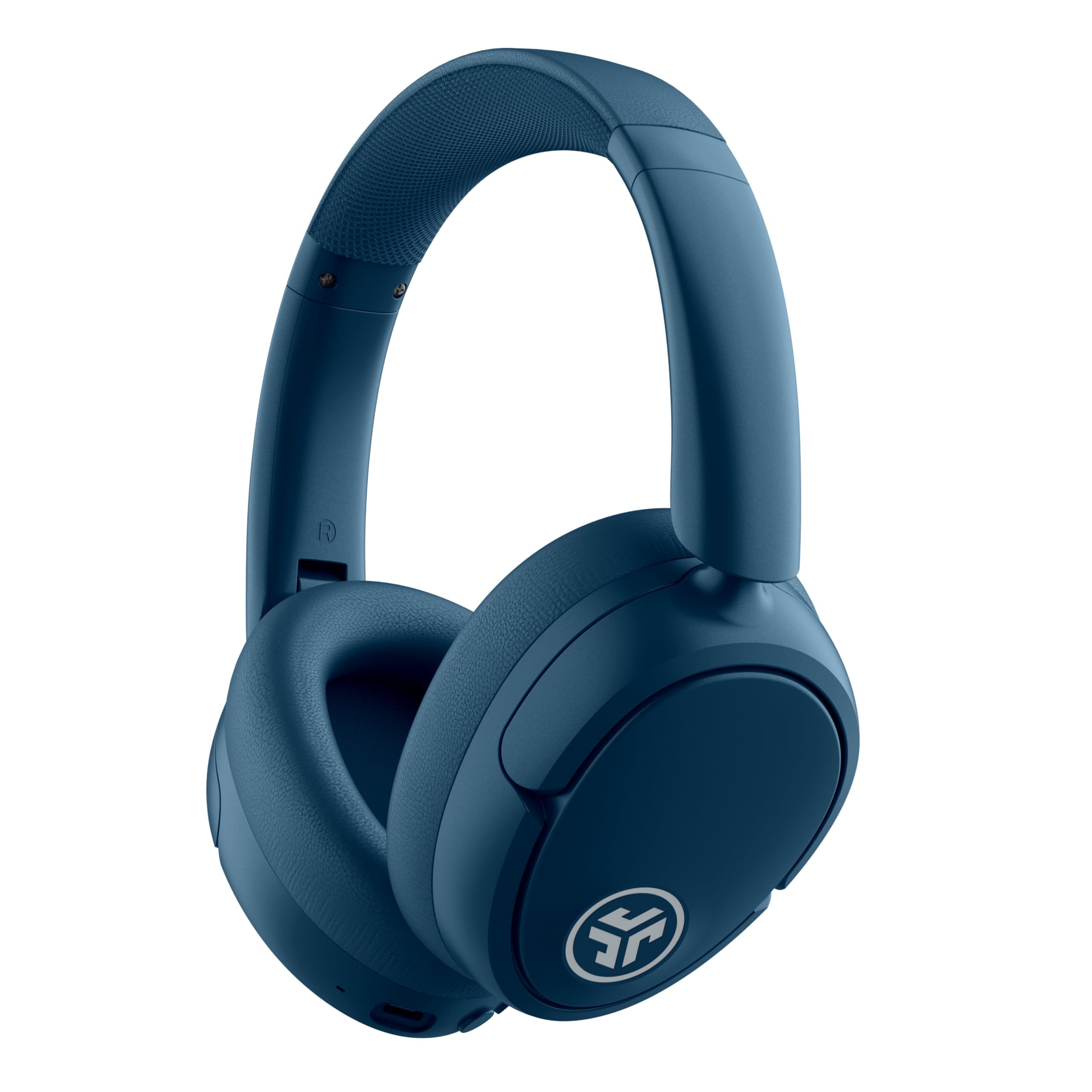
- Hybrid ANC is rated to reduce noise by up to 35 dB.
- Connects to a phone and laptop at the same time.
- Battery estimates distinguish ANC use from total playtime.
Best For: Workers who want noise reduction and an easy switch between laptop and phone.
TREBLAB Z2
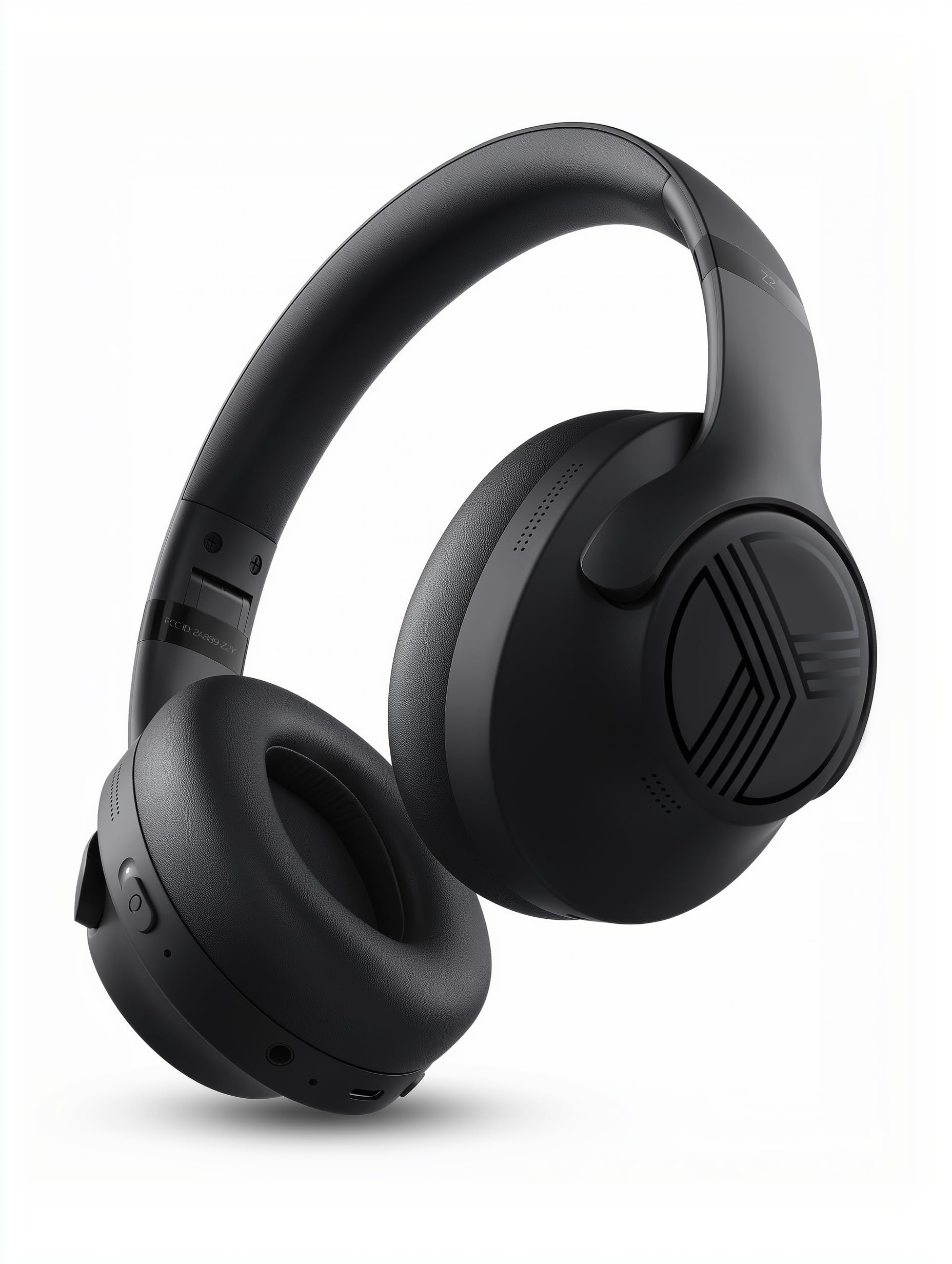
- Hybrid ANC and multipoint Bluetooth support work and listening.
- Offers 58 hours of playtime and a wired AUX option.
- Foldable design includes a carrying case.
Best For: Workers wanting over-ear cushions, hybrid ANC, and long listed battery life.
SHOKZ OpenFit 2
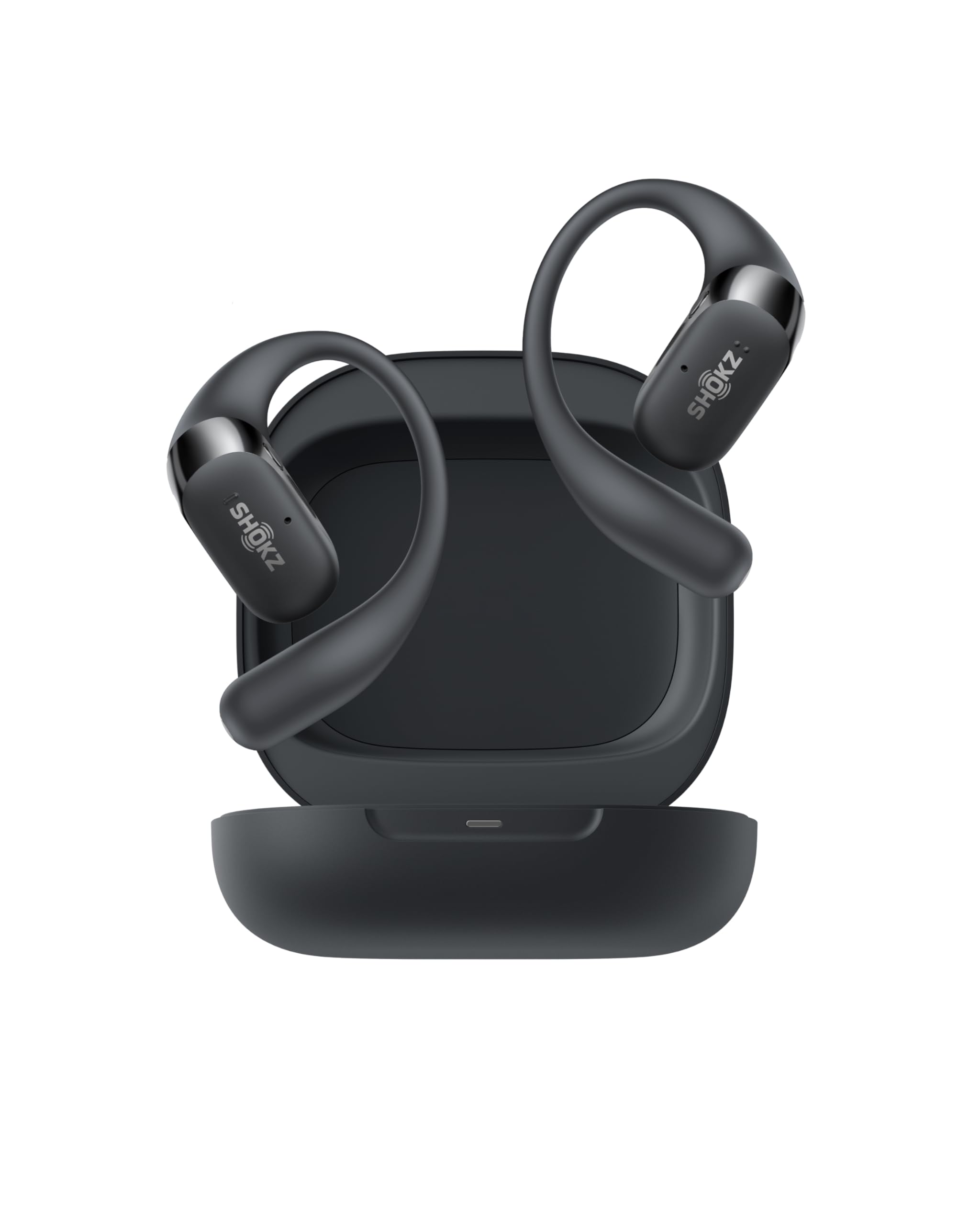
- Open-ear design keeps you aware of surroundings.
- Up to 48 hours with the charging case.
- Physical buttons can switch between paired devices.
Best For: People who want open-ear awareness, multipoint, and a charging case for all-day use.
JLab Studio Pro
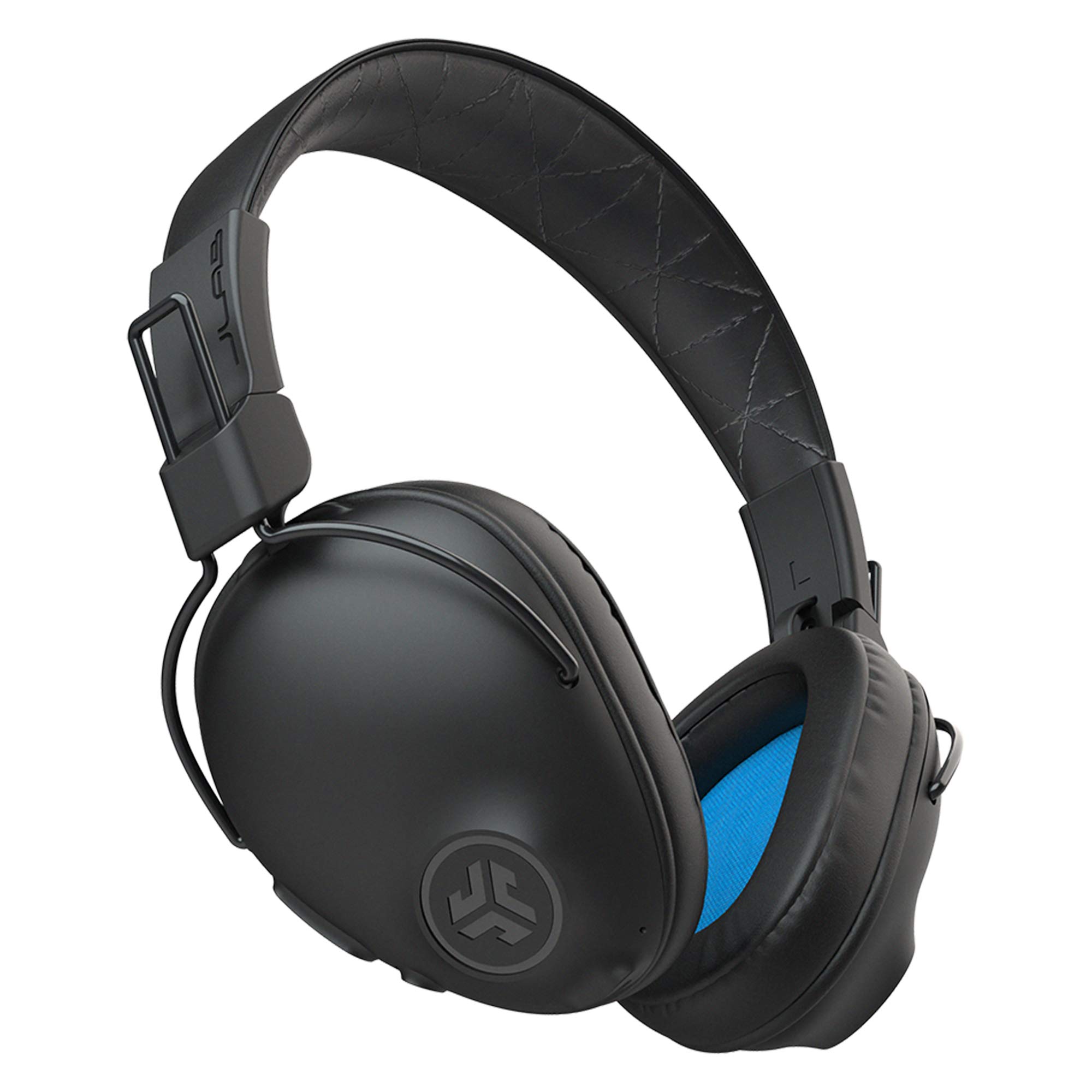
- Provides 50-plus hours of wireless listening.
- Three EQ modes are controlled on the earcup.
- Foldable design supports commuting or travel.
Best For: Workers who want long wireless listening and simple onboard sound modes.
JLab Studio Wireless

- Lists more than 30 hours of Bluetooth playtime.
- Three EQ presets are available onboard.
- Foldable for travel or commuting.
Best For: Commuters and desk users who prefer foldable on-ear headphones with a built-in mic.
SHOKZ OpenRun Pro
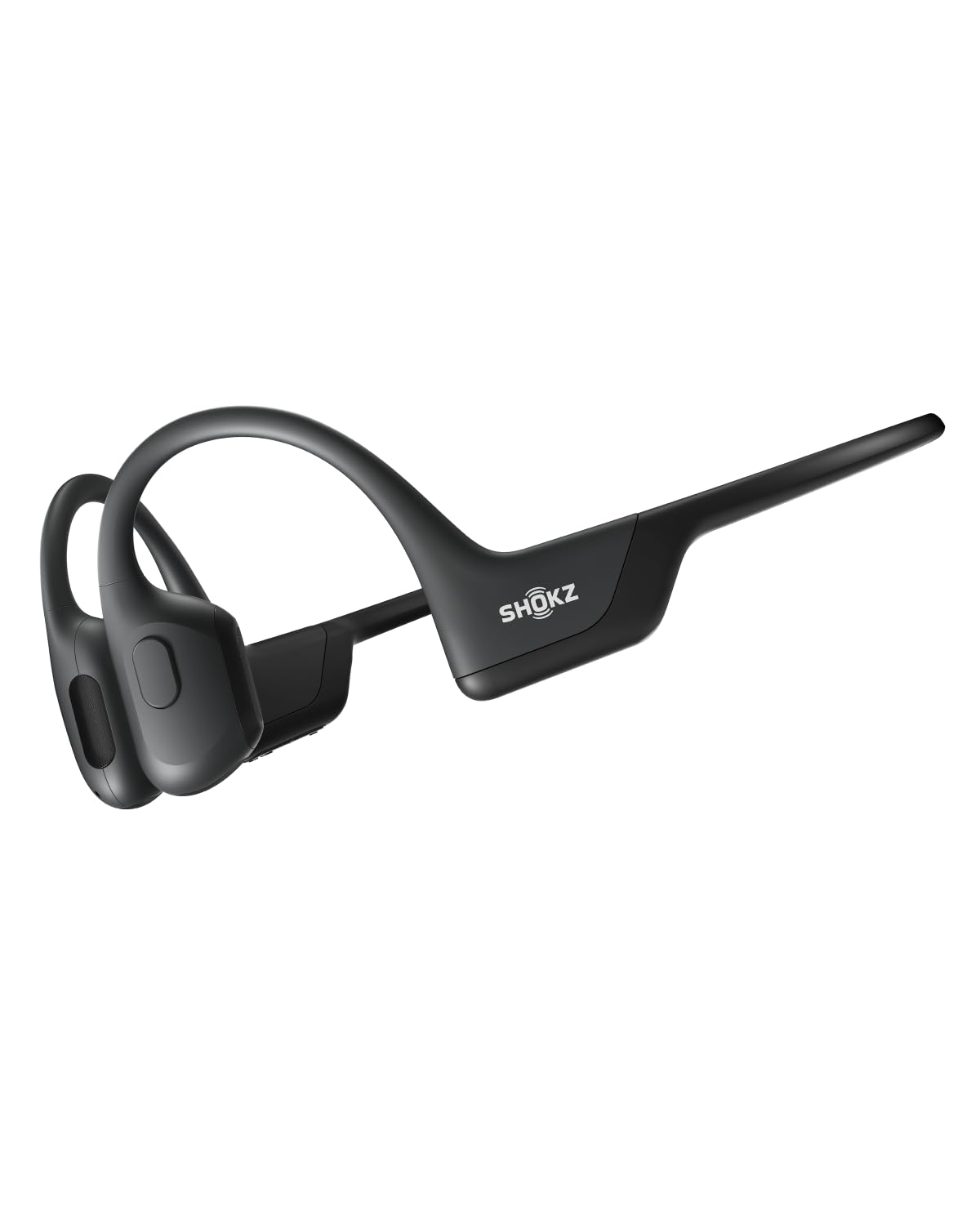
- Open-ear bone conduction preserves awareness of surroundings.
- Titanium wraparound frame supports a secure fit.
- A 5-minute quick charge provides up to 1.5 hours of battery life.
Best For: Workers who prefer a secure open-ear headband and need extended listening between charges.
SHOKZ OpenFit Air
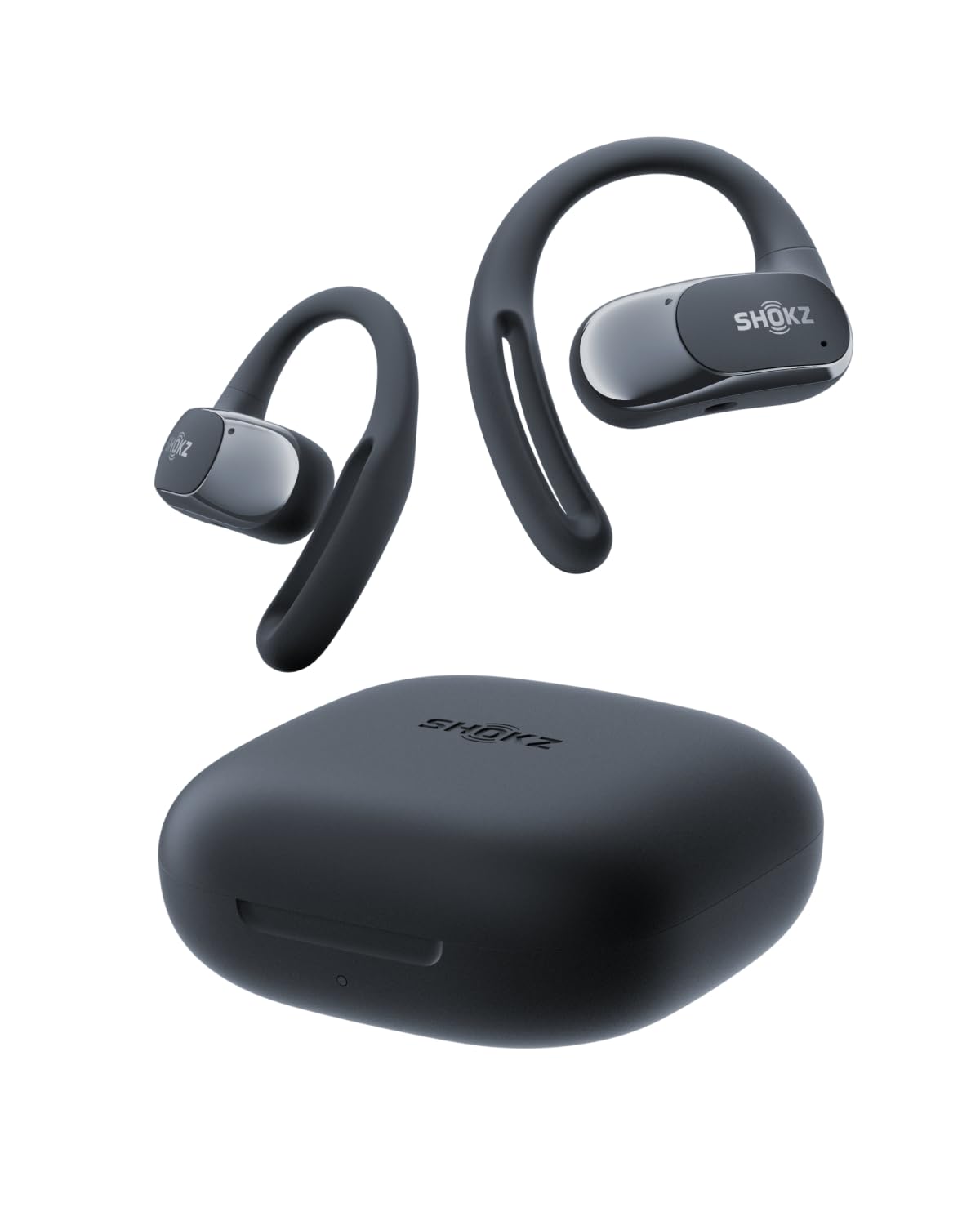
- Multipoint pairing connects two devices.
- Four smart microphones support calls.
- Quick charge adds up to two hours of listening.
Best For: Workers who want open-ear earbuds with multipoint and app-based sound controls.
SHOKZ OpenRun Pro 2
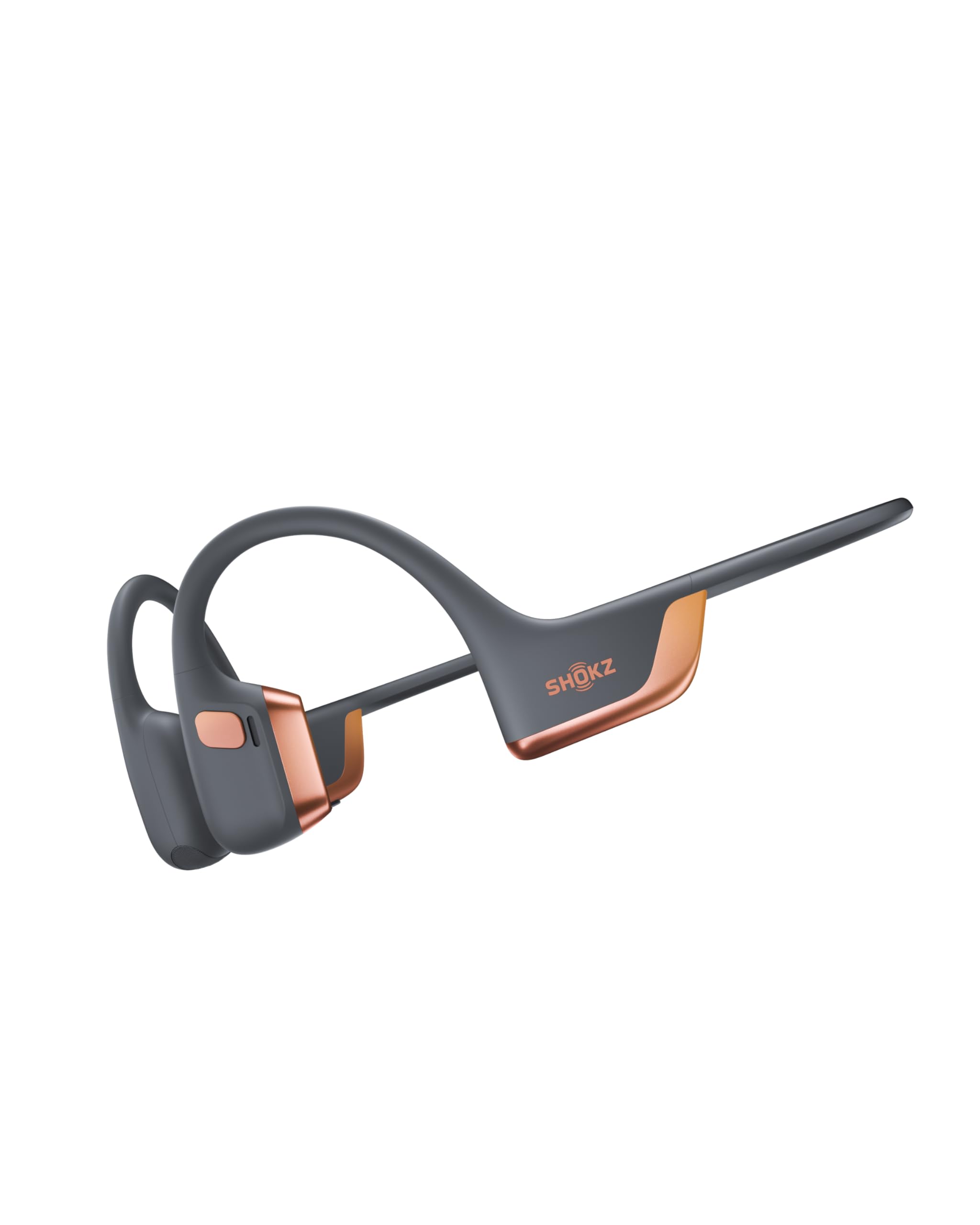
- Dual drivers combine bone and air conduction.
- Rated for up to 12 hours of audio.
- Dual microphones are designed to reduce wind and background noise on calls.
Best For: Workers who want an open-ear headband with dual-driver audio and a carrying case.
Best for Meeting Calls
OpenComm2 2025 Upgrade - Open-Ear Bone Conduction Headphones, Wireless Bluetooth Headset with Noise Canceling Mic & Mute Button for Work Calls and Meetings, 16 Hour Talk Time for Mobile & PC - C120
The SHOKZ OpenComm2 is built around work calls, with a noise-canceling microphone, physical mute control, and open-ear bone conduction design. It weighs 35g and offers up to 16 hours of talk time or 8 hours of listening per charge.
Multipoint pairing lets it connect to two devices at once, which suits a laptop and phone workflow. Its open design keeps the ear canals unobstructed, a useful fit for people who dislike sealed earcups.
The tradeoff is that it does not offer the closed-back isolation of over-ear headphones, so it is a better match for mobile work and conversation than blocking a busy room.
Best For: People who spend much of the workday on calls and want an open-ear fit.
| Pros | Cons |
|---|---|
|
|
Choose the OpenComm2 when calls, quick muting, and switching between a phone and computer are central to the workday. Its talk-time figure is distinct from its listening-time figure, so use the right one for your routine.
The open-ear design favors awareness and comfort over sealing out office noise. Check that your computer or phone supports Bluetooth, and consider whether you need stronger room isolation before choosing it for a noisy shared workspace.
Best Dedicated Desk Headset
JLab Go Work Wireless Headsets with Microphone, 45+ Playtime PC Bluetooth Headset and Multipoint Connect to Laptop Computer and Mobile, Wired or Wireless Headphones (1 Pack)
The JLab Go Work puts meeting functions directly on an on-ear headset. Its dual-microphone calling system is designed to pick up your voice while reducing environmental sound, and the rotating boom can move out of the way for listening.
Bluetooth multipoint connects to two devices simultaneously, while the included USB-C to 3.5mm cable provides a wired option. JLab specifies 45-plus hours of playtime, which can suit a workweek with fewer charging interruptions.
A red LED at the boom tip indicates mute status. This is a practical desk-oriented choice, though its on-ear fit differs from the lighter, ear-free feel of open-ear models.
Best For: Remote workers who want a boom microphone, call controls, and wired backup.
| Pros | Cons |
|---|---|
|
|
Pick the Go Work if video calls are frequent and you want a boom mic with direct mute and volume controls. The included cable also helps when wireless use is inconvenient, while multipoint can keep a phone and laptop connected.
Its on-ear fit is a different experience from cushioned over-ear headphones, so consider how much of the day you will wear it. Confirm that your devices have a compatible Bluetooth connection or the relevant port for the wired cable.
Best for Focus With Device Switching
JLab JBuds Lux ANC, Over Ear Headphones, Active Noise Cancelling, Bluetooth, Limited Edition Navy
The JLab JBuds Lux ANC combines over-ear cushioning with hybrid active noise cancellation and a mode that lets outside sound back in. JLab gives an ANC reduction figure of up to 35 dB, while Bluetooth multipoint can connect a phone and laptop simultaneously.
The long battery claim is split by listening mode: 70-plus hours total playtime and 40-plus hours with ANC active. Cloud Foam cushions the earcups and headband for extended sessions, and the JLab app offers EQ and control adjustments.
It can suit focused desk work, but the stated noise reduction is not a guarantee of silence, and there is no water-resistance rating specified.
Best For: Workers who want noise reduction and an easy switch between laptop and phone.
| Pros | Cons |
|---|---|
|
|
Choose the JBuds Lux ANC if reducing background distractions and switching between a computer and phone matter more than maintaining an open-ear fit. Pay attention to the different battery figures: ANC use has its own lower stated duration.
The awareness mode is useful when you need to hear some surroundings, but it is not the same as removing headphones for a conversation. Since water resistance is not specified, treat these as desk headphones and check your device pairing needs before buying.
Best Long-Running Over-Ear Option
TREBLAB Z2 Wireless Over Ear Headphones Bluetooth, Hybrid ANC, 58H | IPX4 Sweatproof, Foldable with Case, Multipoint BT 5.3, Gaming Mode 65ms, 40mm Driver, 2-3H Charge Time
The TREBLAB Z2 is a wireless over-ear option with hybrid active noise cancellation, multipoint Bluetooth, and a 3.5mm AUX connection for wired backup. Its listed battery life is 58 hours, and the notes specify a 2–3 hour USB-C charge time.
At 243g, it is a fairly light over-ear pick within this group, and the foldable design with included case helps when carrying it between home and office. The notes also specify IPX4 sweat resistance and physical controls.
Those features add versatility, but the product is also marketed for gym use, so work buyers should focus on whether the over-ear fit and noise controls suit their office rather than assuming silence.
Best For: Workers wanting over-ear cushions, hybrid ANC, and long listed battery life.
| Pros | Cons |
|---|---|
|
|
The Z2 fits someone who wants a conventional over-ear headset with ANC, device multipoint, and an AUX fallback. Its 58-hour figure is useful for comparing stated endurance, while the listed charging window helps plan desk use.
Foldability and the case make it easier to carry than a fixed-format headset. Check whether its over-ear cushions are comfortable for your work sessions and whether your laptop and phone support the connections you intend to use.
Best Open-Ear Battery Life
SHOKZ OpenFit 2 Open-Ear Headphones,True Wireless Bluetooth Earphones with Microphone,Earhook Earbuds with 48 Hours of Playtime,Fast Charging,IP55 Water-Resistant,with Carrying Bag,Black,Bluetooth5.4
The SHOKZ OpenFit 2 uses open-ear earhooks rather than a headband, leaving the ear canal open while providing a wireless listening setup. It is rated for up to 11 hours on a single charge and up to 48 hours with its charging case.
Dual noise-canceling microphones support calls, while physical multifunction buttons handle volume, tracks, calls, and switching between two paired devices. The notes specify IP55 water resistance and customizable EQ through the Shokz app.
These earbuds suit people who want to stay aware of their surroundings during work. They provide less passive isolation than a closed over-ear headset, so they are a weaker fit for blocking nearby conversation.
Best For: People who want open-ear awareness, multipoint, and a charging case for all-day use.
| Pros | Cons |
|---|---|
|
|
Choose the OpenFit 2 if you want earbuds that keep the ear canal clear and make it easy to move between two paired devices. The battery figures distinguish a single charge from total use with the case, so consider how often you want to recharge between sessions.
Physical controls may be convenient during a call or while moving around. If your main need is shutting out office chatter, compare it with an over-ear ANC option instead.
Best Simple Over-Ear Wireless Pair
JLab, Studio Pro, Wireless Over Ear Headphones, Bluetooth 5, EQ3 Sound, Foldable, Black
The JLab Studio Pro is a straightforward wireless over-ear choice for work and everyday audio. Its listed playtime is 50-plus hours, and EQ modes are selected directly on the earcup, so changing between signature, balanced, and bass-focused sound does not require opening an app.
The foldable design is easy to pack, and the built-in microphone supports calls. Bluetooth 5 pairs with iOS, Android, and PC devices.
The notes do not specify active noise cancellation or multipoint pairing, so this is better suited to uncomplicated listening than advanced call routing or strong noise management. Check your device's Bluetooth behavior if frequent switching is part of your routine.
Best For: Workers who want long wireless listening and simple onboard sound modes.
| Pros | Cons |
|---|---|
|
|
The Studio Pro works for someone who mainly needs wireless listening, a built-in mic, and a long stated playtime. Its onboard EQ modes keep basic adjustments within reach, and folding helps when commuting.
Since multipoint and ANC are not specified, verify those needs before choosing it for a meeting-heavy or noisy work setting. It is a more direct option than headsets with dedicated boom microphones or open-ear awareness features.
Best Compact On-Ear Wireless Pick
JLab, Studio, Wireless On-Ear Headphones, Bluetooth, Foldable, Built-in Mic, Black
The JLab Studio Wireless is an on-ear Bluetooth headset with 30-plus hours of listed playtime, three onboard EQ presets, and a built-in microphone for calls. Its faux leather headband and Cloud Foam earcups are intended to cushion longer listening sessions, while the foldable design makes it easier to pack for a commute.
Bluetooth 5 supports connections with iOS, Android, and PC devices. The notes do not specify active noise cancellation or multipoint, so its appeal is simplicity and portability rather than sophisticated isolation or switching between a phone and computer without re-pairing.
Consider the on-ear placement if you wear headphones for long stretches.
Best For: Commuters and desk users who prefer foldable on-ear headphones with a built-in mic.
| Pros | Cons |
|---|---|
|
|
Choose this model for a portable, uncomplicated wireless pair with a built-in mic and onboard EQ. The foldable frame and stated playtime suit regular commuting as well as desk listening.
It does not provide documented ANC or multipoint, so people in noisy offices or those who frequently switch between two devices should compare other picks. Its on-ear fit also places the cushions on the ears, which may not be as comfortable for everyone as an over-ear design.
Best Open-Ear Headband for Long Calls
SHOKZ OpenRun Pro-Bone Conduction Headphones, Open-Ear Bluetooth Wireless Sport Headphones for Running and Workout, Sweat Resistant, Long Battery Life, Premium Deep Bass, Mic,with Hair Band, Black
The SHOKZ OpenRun Pro is a bone-conduction headset with an open-ear fit, wraparound titanium frame, and built-in microphone. It is rated for 10 continuous hours of music, calls, and podcasts, with a five-minute quick charge providing up to 1.5 hours of battery life.
The frame is designed to stay in place during movement, making it a fit for people who work between a desk and other locations or want to keep their ears open. This sports-oriented design does not offer the enclosed sound isolation of over-ear headphones.
Check whether its headband and bone-conduction style suit your work setup, especially if you need to block nearby voices.
Best For: Workers who prefer a secure open-ear headband and need extended listening between charges.
| Pros | Cons |
|---|---|
|
|
The OpenRun Pro is a practical match for people who want an open-ear, secure headband and use headphones while moving around. Its 10-hour figure covers music and calls, and quick charging can help between sessions.
The work-focused tradeoff is isolation: this design leaves the ears open, so it will not physically screen out an active office. Compare the headband fit and call controls with a dedicated work headset if meetings are the main priority.
Best Lightweight Open-Ear Multipoint Earbuds
SHOKZ OpenFit Air - Open-Ear Headphones, True Wireless Earbuds, Water Resistant, Secure Earhooks for Daily Use, Black
The SHOKZ OpenFit Air uses adaptable earhooks and an open-ear design, giving workers an alternative to both in-ear tips and a headband. Its four smart microphones, multipoint pairing for two devices, and IP54 water resistance add practical flexibility.
Battery life is listed as up to six hours per charge and 28 hours with the charging case, with a quick 10-minute charge adding up to two hours. The Shokz app can adjust EQ and button functions.
The open-ear format supports awareness but gives up the physical seal and passive isolation of over-ear headphones, so it suits shared spaces where hearing the environment matters more than blocking it.
Best For: Workers who want open-ear earbuds with multipoint and app-based sound controls.
| Pros | Cons |
|---|---|
|
|
Pick the OpenFit Air if you want lightweight earhooks, open-ear awareness, and two-device pairing in a compact form. The six-hour single-charge figure matters more than the larger total when you need uninterrupted sessions away from the case.
App controls offer customization, but they add setup compared with a headset using only physical controls. For focused work in a noisy room, an over-ear ANC model will provide a more enclosed fit.
Best Open-Ear Audio for Calls and Listening
SHOKZ New OpenRun Pro 2-Bone Conduction Headphones,Open-Ear Bluetooth Wireless Sport Earphones for Running,Workouts-Sweat Resistant,Secure Comfortable Fit-Deep Bass,Smart Mic, Reflective Strip
The SHOKZ OpenRun Pro 2 is an open-ear bone-conduction headset whose dual-driver system combines bone-conduction and air-conduction audio. It offers up to 12 hours of battery life, and the product details include a hard-shell carrying case.
The fit uses ergonomic ear hooks and a flexible memory-wire frame, while dual wind-resistant microphones and AI noise reduction are designed for calls. App-based EQ modes offer another way to adjust the sound.
Its open design can help maintain awareness, but it does not surround the ears to reduce office noise. Consider it for mobile work and calls when a secure open-ear fit is more important than passive isolation.
Best For: Workers who want an open-ear headband with dual-driver audio and a carrying case.
| Pros | Cons |
|---|---|
|
|
Choose the OpenRun Pro 2 if you value an open-ear headband but want a dual-driver setup and call-oriented microphones. The up-to-12-hour figure can help with planning, while the case supports carrying it between work locations.
The main compromise remains room isolation: the design keeps your ears open rather than covering them. Check whether the earhook fit works with your glasses or other headwear, and decide whether open awareness or blocking distractions matters more.
How to Choose Headphones For Work
How We Picked Headphones for Work
The strongest fits in this group offer at least one workday advantage: a microphone or boom for calls, multipoint pairing for a laptop and phone, noise reduction for focus, or an open-ear design for people who need awareness. We also considered battery life, physical controls, wired fallback, and carrying convenience where those details are specified.
Sports, swimming, metal-detecting, gaming, and children's models were set aside because their main use differs from everyday work.
This mix includes dedicated call headsets such as the JLab Go Work and SHOKZ OpenComm2, over-ear listening options with ANC, and open-ear earbuds or headbands. The right choice depends on whether your priority is meeting clarity, reducing distraction, staying aware of coworkers, or avoiding frequent charging.
Comparing Headphones for Work Calls and Focus
For meetings, look first at microphone placement and call controls. The Go Work has a rotating boom and a visible mute indicator, while the OpenComm2 pairs a noise-canceling microphone with a physical mute button.
Open-ear options such as the OpenFit 2 and OpenFit Air emphasize awareness and multipoint pairing, but do not create the same physical barrier to surrounding sound as over-ear headphones.
For quieter listening, the JBuds Lux ANC and TREBLAB Z2 add active noise cancellation. Battery figures need context: JBuds Lux separates total playtime from ANC playtime, and the Z2 provides an AUX cable option alongside Bluetooth.
The JLab Studio Pro and Studio Wireless offer simpler Bluetooth listening with onboard EQ, but their notes do not specify ANC or multipoint.
| Product | Standout features | Best for |
|---|---|---|
| SHOKZ OpenComm2Check Price |
| People who spend much of the workday on calls and want an open-ear fit. |
| JLab Go WorkCheck Price |
| Remote workers who want a boom microphone, call controls, and wired backup. |
| JLab JBuds Lux ANCCheck Price |
| Workers who want noise reduction and an easy switch between laptop and phone. |
| TREBLAB Z2Check Price |
| Workers wanting over-ear cushions, hybrid ANC, and long listed battery life. |
| SHOKZ OpenFit 2Check Price |
| People who want open-ear awareness, multipoint, and a charging case for all-day use. |
| JLab Studio ProCheck Price |
| Workers who want long wireless listening and simple onboard sound modes. |
| JLab Studio WirelessCheck Price |
| Commuters and desk users who prefer foldable on-ear headphones with a built-in mic. |
| SHOKZ OpenRun ProCheck Price |
| Workers who prefer a secure open-ear headband and need extended listening between charges. |
| SHOKZ OpenFit AirCheck Price |
| Workers who want open-ear earbuds with multipoint and app-based sound controls. |
| SHOKZ OpenRun Pro 2Check Price |
| Workers who want an open-ear headband with dual-driver audio and a carrying case. |
Choosing Open-Ear or Over-Ear Work Headphones
Open-ear headsets leave the ear canal open and can suit people who move around, listen for coworkers, or dislike sealed earcups. Bone-conduction headbands like the OpenRun Pro and OpenRun Pro 2 secure around the head; earhook models like the OpenFit 2 and OpenFit Air are more compact and use charging cases.
Compare the battery per charge with total case-supported listening, since those describe different routines.
Over-ear headphones provide a more enclosed fit, and ANC models are the more relevant choices here when office chatter is distracting. ANC does not guarantee silence, and fit still matters.
On-ear sets are more compact but rest directly against the ears, so comfort can vary over a long shift. Check whether your preferred connection is Bluetooth, multipoint, or a wired cable before ordering.
Which Work Headphones Fit Your Day?
Choose the OpenComm2 or Go Work if frequent meetings and quick muting are central. Pick the JBuds Lux ANC or TREBLAB Z2 if you want over-ear cushioning and noise reduction for focus.
The Studio Pro or Studio Wireless suits straightforward wireless listening with built-in microphones and onboard EQ.
If you need to hear people nearby, consider the OpenFit 2, OpenFit Air, OpenRun Pro, or OpenRun Pro 2. Compare earhooks with a headband, then check the stated charge duration and controls against your workday.
A good fit is the one whose call setup, listening style, and level of isolation match the way you actually use headphones at work.