The best memory card reader depends on the cards you use, the ports on your computer and whether you need portability or broad format support. These picks cover everyday SD and microSD transfers, newer USB-C setups, and specialized options for many card types or field playback.
Quick Top Products
SABRENT USB-C & USB-A SD/Micro SD Card Reader

- Has both USB-C and USB-A connections for a wider range of host devices.
- Reads SD and microSD card formats, including SDXC and microSDXC.
- Supports USB 3.0 transfers up to 5Gbps.
Best For: People moving between newer USB-C devices and laptops or PCs with USB-A ports.

SABRENT USB-C UHS-II SD & microSD Reader
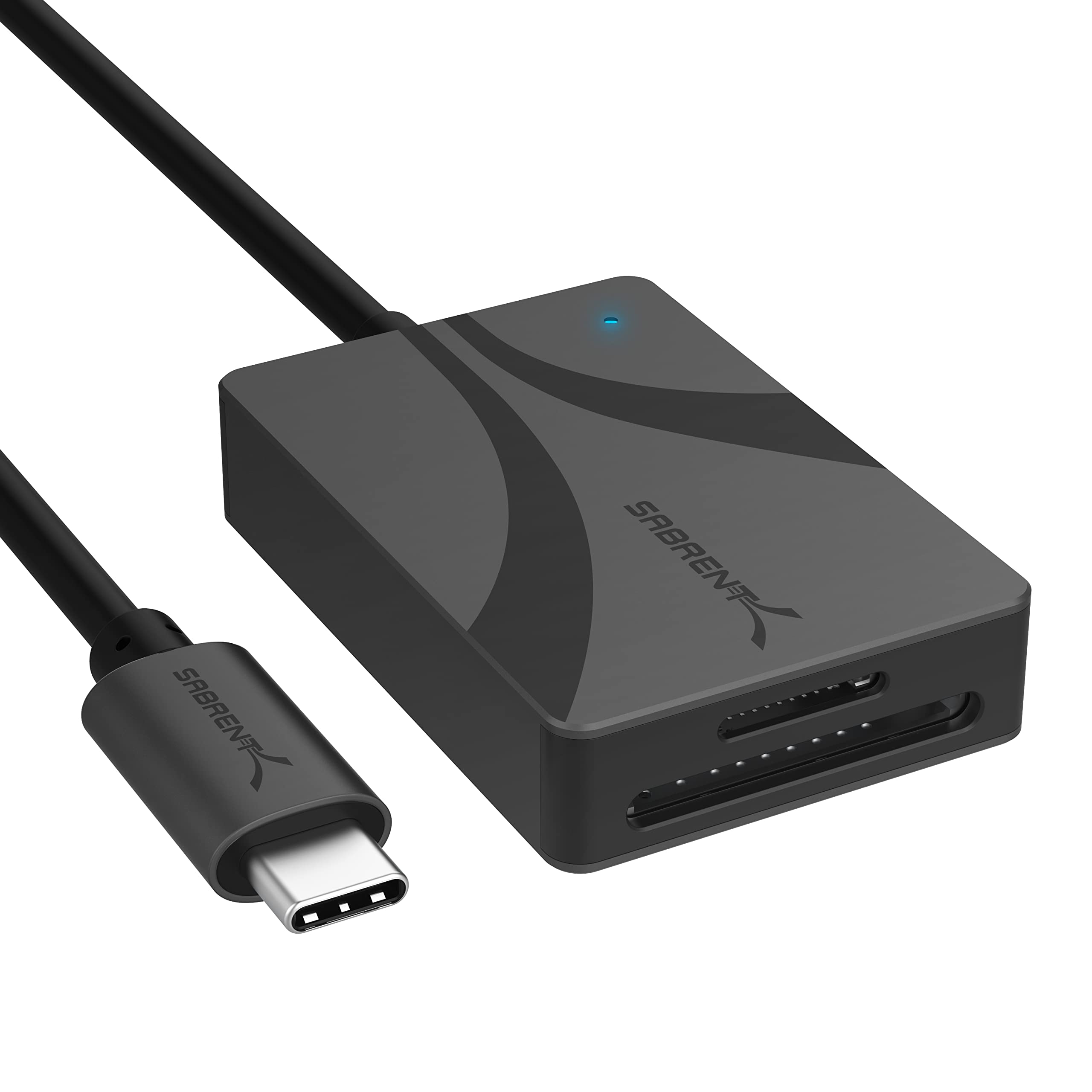
- Supports UHS-II SD and microSD card formats.
- Can transfer content through both slots simultaneously.
- Has an integrated 6-inch USB-C cable and bus-powered operation.
Best For: USB-C users who work with UHS-II SD or microSD cards and value a built-in cable.
SMALLRIG SD/TF Dual-Slot Card Reader 4870
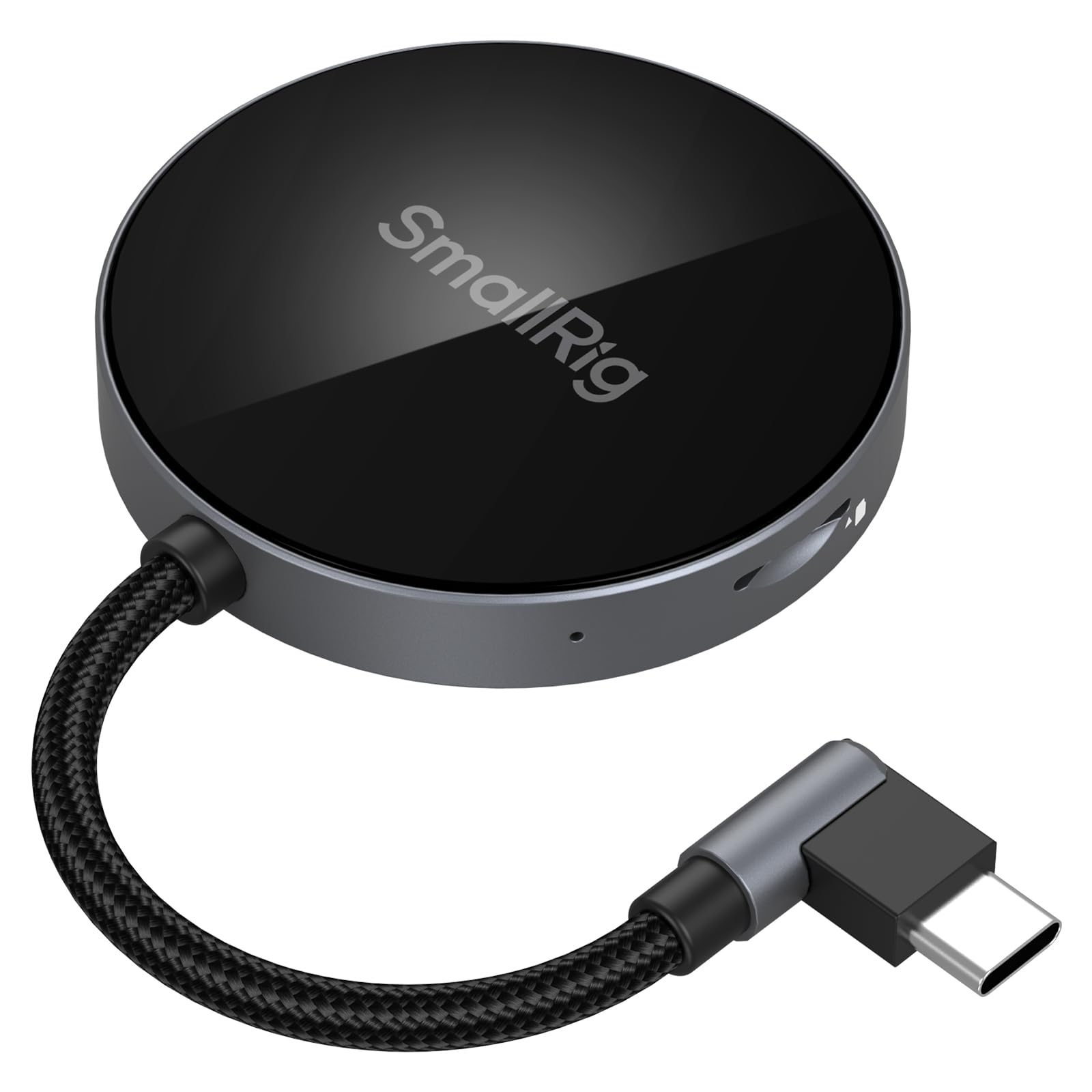
- Has two slots for SD and TF cards.
- Supports simultaneous SD and TF read/write at up to 312MB/s.
- Includes a 90-degree connector and magnetic phone attachment.
Best For: Users transferring SD or TF card files directly with compatible USB-C phones and tablets.
SABRENT USB 3.0 Micro SD and SD Card Reader
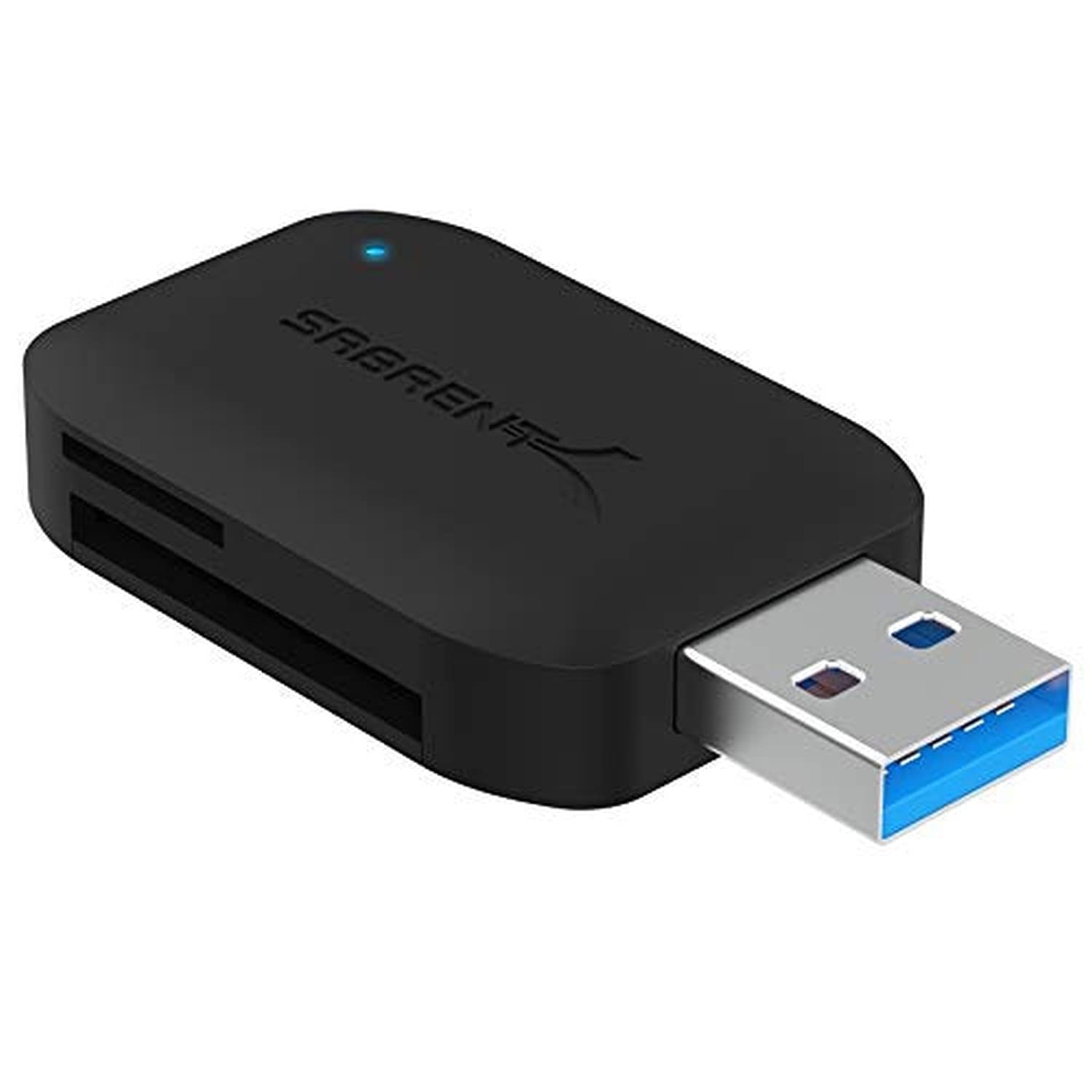
- Reads SD and microSD cards, including SDXC and microSDXC.
- Supports reading two cards simultaneously.
- Has USB 3.0 with backward compatibility for USB 2.0 and 1.1.
Best For: Users who need a basic compact reader for SD and microSD cards on Windows or Mac.
SABRENT SuperSpeed 2 Slot USB 3.0 Reader
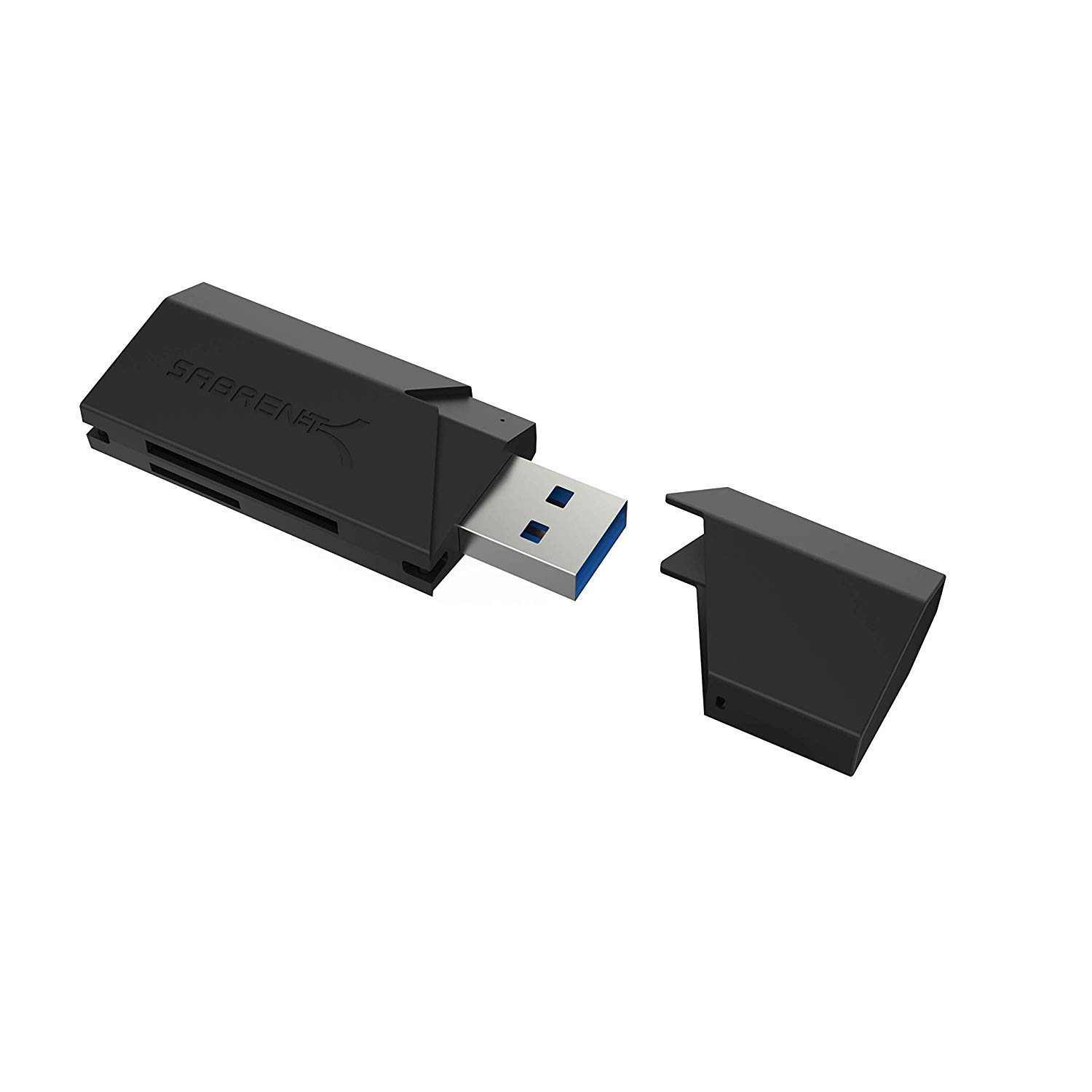
- Supports SD, SDHC, SDXC, MMC, microSD and T-Flash formats.
- USB-powered operation needs no additional power supply.
- Works with USB 2.0 hosts as well as USB 3.0.
Best For: Users with a USB-A host who need SD, microSD or MMC card access.
SABRENT 75-in-1 Multi Flash Media Reader
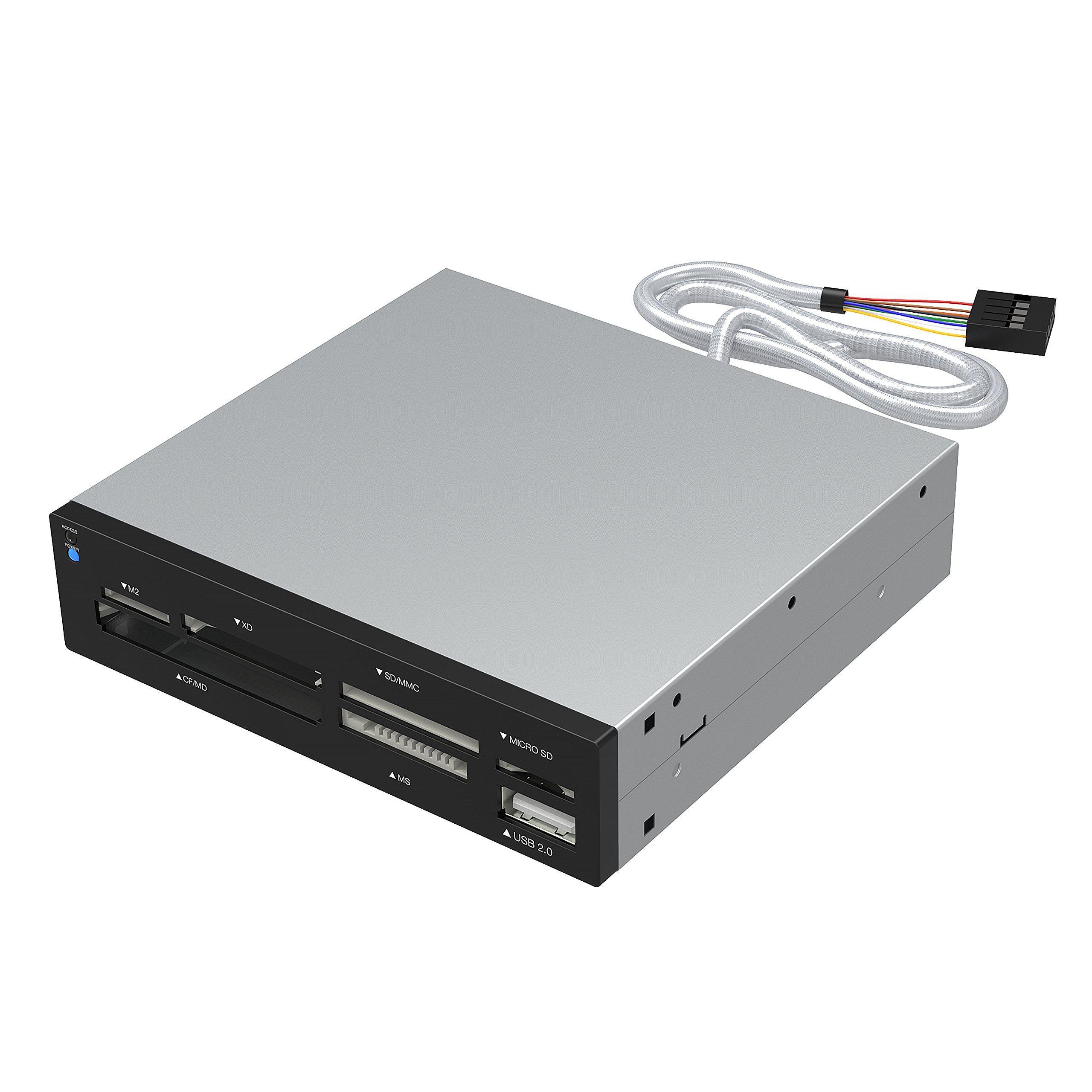
- Supports 74 different memory card types.
- Six slots cover a range of flash media formats.
- Includes one USB 2.0 port and an internal power connector to provide sufficient power for external USB devices.
Best For: Users with varied or older media cards who want a desktop reader with multiple slots.
USB-C and USB-A Flexibility
SABRENT SD Card Reader USB C & USB A, Micro SD Card Reader, USB 3.0 Dual Slot Memory Card Adapter for Laptop PC Android (CR-BCA2)
This compact SABRENT reader combines USB-C and USB-A connections, so it can travel between newer devices and traditional computers without requiring a separate adapter. Its two slots support SD and microSD card families, including SDXC and microSDXC, while the USB 3.0 interface supports transfers up to 5Gbps.
It is designed for plug-and-play use on Windows, macOS and compatible Android devices. The built-in LED activity indicator offers a quick visual cue during transfers.
Check that your device has a compatible port and that Android support applies to your particular device before buying.
Best For: People moving between newer USB-C devices and laptops or PCs with USB-A ports.
| Pros | Cons |
|---|---|
|
|
Choose this model if the main challenge is connecting one reader to devices with different port types. It combines USB-C and USB-A with SD and microSD support, making it a flexible option for a shared teaching or office kit.
Its transfer figure is up to 5Gbps, so actual workflow speed also depends on the card and host device. Confirm your computer or phone ports and, for Android, compatibility before purchase.
If your setup is exclusively USB-C and you use UHS-II cards, compare its broad connector convenience with the dedicated UHS-II option below.
UHS-II Cards and Simultaneous Transfers
SABRENT USB Type-C Card Reader, Dual-Slot UHS-II SDXC and microSDXC SD 4.0 (CR-CSDM)
This USB-C reader supports UHS-II SD and microSD cards in separate slots, and it can transfer through both slots simultaneously. It has an integrated 6-inch USB 3.2 Gen 1 Type-C cable, so there is no separate cable to pack.
The reader is bus-powered and plug-and-play, with an LED for power status. Its transfer rate is up to 312MBps, while the connection supports up to 5Gbps to the host; actual speeds depend on the card and connection.
Its listed operating systems are Windows 8+ and macOS 12+, so check those requirements against your computer.
Best For: USB-C users who work with UHS-II SD or microSD cards and value a built-in cable.
| Pros | Cons |
|---|---|
|
|
This is the specialized pick for a USB-C workflow built around UHS-II cards. Its integrated cable and simultaneous slot transfers make it useful when regularly moving camera media, while bus power keeps setup simple.
Its listed systems are narrower than several general-purpose options here, and its Type-C connection may not suit older computers. Check your card type, host operating system and port before choosing it.
If you only use standard SD or microSD cards, a less specialized dual-slot reader may cover your needs.
Angled Connector for Phone Transfers
SMALLRIG SD/TF Dual-Slot Card Reader USB 4.0 312MB/s - 4870
The SMALLRIG 4870 pairs SD and TF slots with a USB-C connection and a 90-degree angled design. It supports simultaneous SD and TF reading or writing, with a listed rate of 312MB/s.
A built-in magnet attaches it to the backs of selected phones, and the compatibility notes name several iPhone, Samsung and Huawei models. The product also supports Windows, Mac, Linux, Android and HarmonyOS.
On Android devices, the file manager may need to run in the background to keep transfers from being interrupted. Confirm phone compatibility and card insertion before using it for mobile transfers.
Best For: Users transferring SD or TF card files directly with compatible USB-C phones and tablets.
| Pros | Cons |
|---|---|
|
|
Consider the SMALLRIG if your memory-card workflow often begins on a compatible phone or tablet. The angled connector, magnetic attachment and SD/TF slots are tailored to mobile file transfers, while the listed operating systems also include desktop platforms.
The product notes call for keeping Android file management active in the background, so this option may require extra attention during phone transfers. Check the named device compatibility and USB-C access first.
For a computer-first setup without a need for phone attachment, a simpler reader may be easier to pack.
Simple SD and microSD Transfers
SABRENT USB 3.0 Micro SD and SD Card Reader (CR-BYMS)
This two-slot SABRENT reader focuses on the common SD and microSD formats, including SDXC and microSDXC. It supports reading two cards simultaneously and includes an LED that indicates the transfer process.
Its USB 3.0 connection is rated for data transfer up to 5Gbps, with backward compatibility for USB 2.0 and 1.1. The product description identifies Windows and Mac OS X 10 or higher as compatible systems.
It is a straightforward choice when you need those card formats and a simple computer connection; check your host port and operating system before buying.
Best For: Users who need a basic compact reader for SD and microSD cards on Windows or Mac.
| Pros | Cons |
|---|---|
|
|
This is a practical fit if your cards are SD or microSD and you want simultaneous access to both slots. The LED and backward-compatible USB connection add useful basics without specialized phone features.
The compatibility details name Windows and Mac OS X 10 or higher, so verify the system and physical connector match your computer. If you regularly switch between USB-C and USB-A devices, the dual-connector SABRENT model offers more connection flexibility.
For UHS-II cards, compare the dedicated reader's supported format and speed details.
Straightforward USB-A Card Access
SABRENT SuperSpeed 2 Slot USB 3.0 Flash Memory Card Reader for Windows, Mac, Linux, and Certain Android Systems Supports SD, SDHC, SDXC, MMC/MicroSD, T Flash [Black] (CR-UMSS)
The SABRENT CR-UMSS is a two-slot USB 3.0 reader for SD, SDHC, SDXC, MMC, microSD and T-Flash formats. It draws power from the USB port, so it does not need a separate power supply, and plug-and-play operation avoids a driver installation step.
The reader is backward compatible with USB 2.0 hosts. Its title names Windows, Mac, Linux and certain Android systems, making it a broad everyday option with one important caveat: confirm your device and operating system are among the supported configurations, and check that your host has a compatible USB connection.
Best For: Users with a USB-A host who need SD, microSD or MMC card access.
| Pros | Cons |
|---|---|
|
|
Pick this reader for a basic USB-connected setup that uses one or more of its supported card families. USB power and plug-and-play operation keep the setup uncomplicated, and USB 2.0 backward compatibility helps with older hosts.
The product title includes Windows, Mac and Linux alongside certain Android systems, so verify compatibility for the exact device. Its notes do not give a transfer rate, which makes it harder to compare for time-sensitive transfers.
If you need USB-C flexibility, consider the dual-connector alternative.
Broad Legacy Card Format Coverage
SABRENT 75 in 1 Multi Flash Media Card Reader/Writer(with Power Cord) (CRW-UINB)
This SABRENT reader is designed for a wide range of flash media, with six slots supporting formats such as M2, XD, SD, MMC, microSD, CompactFlash, Memory Stick and Microdrive. Some cards may require an adapter.
It also includes a USB 2.0 port and an internal power connector intended to provide sufficient power to external USB devices. The combination makes it more suited to a fixed desk setup with mixed card types than a minimal travel reader.
Check your exact card format and whether it needs an adapter before relying on it for a transfer.
Best For: Users with varied or older media cards who want a desktop reader with multiple slots.
| Pros | Cons |
|---|---|
|
|
Choose this model when your card collection spans older or less common formats, since the six slots cover types beyond the standard SD and microSD pairing. The tradeoff is a more desk-oriented design with a USB 2.0 port rather than the compact, newer-interface focus of the other picks.
Some cards may need an adapter, so identify your exact media format first. It is a less natural choice for a mobile teaching kit or fast transfers from newer camera cards when portability and interface speed are priorities.
How to Choose Memory Card Readers
How We Picked Memory Card Readers
We prioritized products that directly read memory cards and represent distinct needs: everyday SD and microSD use, USB-C and USB-A flexibility, UHS-II support, mobile transfers, and wider legacy format coverage. The selected options include readers for portable workflows as well as a multi-slot model that is better suited to a desk.
A field viewer with a screen and playback features serves a different purpose from transferring cards to a computer. An internal PC bay reader also requires a particular installation location, so neither provides the same general-purpose fit as an external reader.
Check the card types and device connections you actually use before deciding which features matter.
Comparing Memory Card Readers
The simplest comparison is card format and host connection. Several picks handle SD and microSD families, while the broad-format SABRENT reader adds types such as CompactFlash, XD and Memory Stick.
The USB-C and USB-A SABRENT model is suited to mixed computer ports; the UHS-II reader centers on USB-C and includes its own short cable.
Speed figures need context. The SMALLRIG and UHS-II SABRENT provide a 312MB/s figure, while some other models give an interface rate or no transfer figure.
A reader's connection rate does not guarantee that every card will transfer at that speed. Match the card specification and host port, and consider simultaneous access only if you expect to use both slots together.
| Product | Standout features | Best for |
|---|---|---|
| SABRENT USB-C & USB-A SD/Micro SD Card ReaderCheck Price |
| People moving between newer USB-C devices and laptops or PCs with USB-A ports. |
| SABRENT USB-C UHS-II SD & microSD ReaderCheck Price |
| USB-C users who work with UHS-II SD or microSD cards and value a built-in cable. |
| SMALLRIG SD/TF Dual-Slot Card Reader 4870Check Price |
| Users transferring SD or TF card files directly with compatible USB-C phones and tablets. |
| SABRENT USB 3.0 Micro SD and SD Card ReaderCheck Price |
| Users who need a basic compact reader for SD and microSD cards on Windows or Mac. |
| SABRENT SuperSpeed 2 Slot USB 3.0 ReaderCheck Price |
| Users with a USB-A host who need SD, microSD or MMC card access. |
| SABRENT 75-in-1 Multi Flash Media ReaderCheck Price |
| Users with varied or older media cards who want a desktop reader with multiple slots. |
Choosing a Reader for a Teaching or Office Setup
For a shared classroom kit, a dual USB-C and USB-A reader can work across computers with different ports, provided the cards are SD or microSD. A USB-powered model can simplify a desk where adding another adapter or power brick is inconvenient.
Check the exact operating system requirements when a reader will move between school-managed and personal devices.
For demonstrations involving a phone, the SMALLRIG combines a USB-C connection with magnetic attachment for named compatible phone families. Its Android notes recommend keeping the file manager active during transfers, so plan for that step.
If students or colleagues bring different devices, prioritize connector compatibility and supported systems over a high speed figure alone.
What to Check Before Buying an SD Card Reader
Identify each card by format and capacity family before ordering. A standard SD card, microSD card, UHS-II card and an older CompactFlash card may need different reader support.
Broad format counts are useful only when the exact type is included, and some formats in the six-slot reader may require an adapter.
Then check the physical connection: USB-C, USB-A or a built-in cable. Review the operating system compatibility for the intended computer or phone.
If speed matters, compare the card, reader interface and host together. USB 3.0, USB 3.2 Gen 1 and USB 2.0 are different connection contexts, while listed rates may describe a maximum rather than the transfer you will see in every setup.
Which Memory Card Reader Fits Your Workflow?
Choose the dual USB-C and USB-A model for moving between newer and traditional computer ports with common SD and microSD cards. Choose the UHS-II reader if your compatible workflow uses UHS-II media and benefits from its integrated USB-C cable and simultaneous transfers.
The SMALLRIG is the more phone-oriented pick when its magnetic attachment and device compatibility suit your setup.
For broad legacy formats at a desk, consider the six-slot SABRENT and check whether an adapter is needed for your card. For straightforward SD and microSD access, the two-slot SABRENT readers cover the essentials; compare their host connection and documented transfer details.
The right memory card reader is the one that matches both the card in your hand and the port on the device receiving its files.