The best microphones for podcasting depend on how you record, from a direct USB setup to a mic that can move into an XLR studio chain. Compare connection options, hands-on controls, and included mounting gear to find a microphone that fits your room and recording workflow.
Quick Top Products
Samson Q2U

- USB-C and XLR connections support computer or interface workflows.
- The package includes a tripod desktop stand and extension.
- Both USB-C and XLR cables are included.
Best For: Podcasters who want one microphone for computer recording now and an XLR setup later.

MAONO PD300X
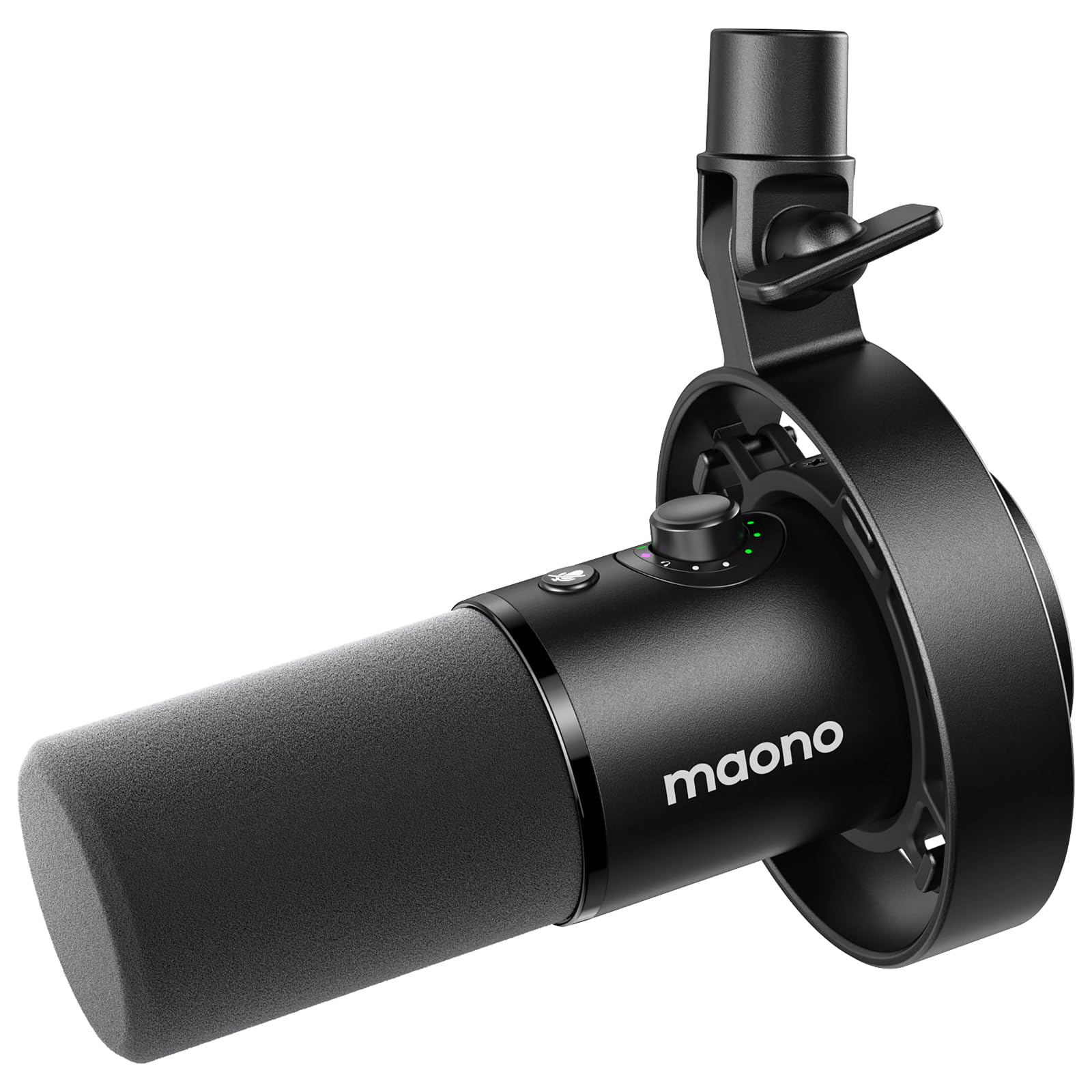
- USB and XLR support computer and mixer connections.
- Software includes EQ, limiters, compressors, and high-pass filters.
- Four preset modes provide distinct recording settings.
Best For: Podcasters who want USB or XLR connections plus software tone shaping and recording presets.
MAONO PD400X
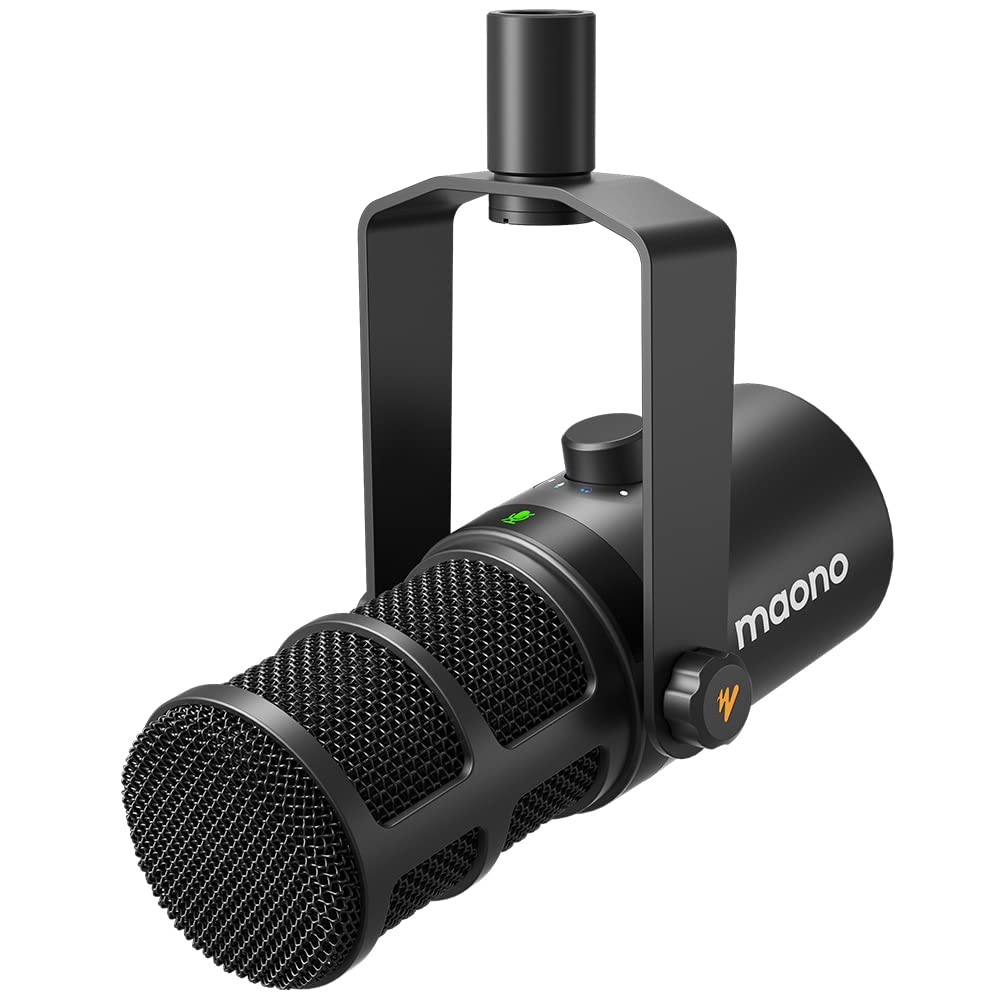
- Dual USB/XLR outputs accommodate computer and pro-audio connections.
- The app provides EQ, limiter, and compressor adjustments.
- The control knob covers gain, headphone volume, and monitor mix.
Best For: Podcasters who want USB convenience, XLR flexibility, and detailed software controls.
FIFINE AmpliTank K688
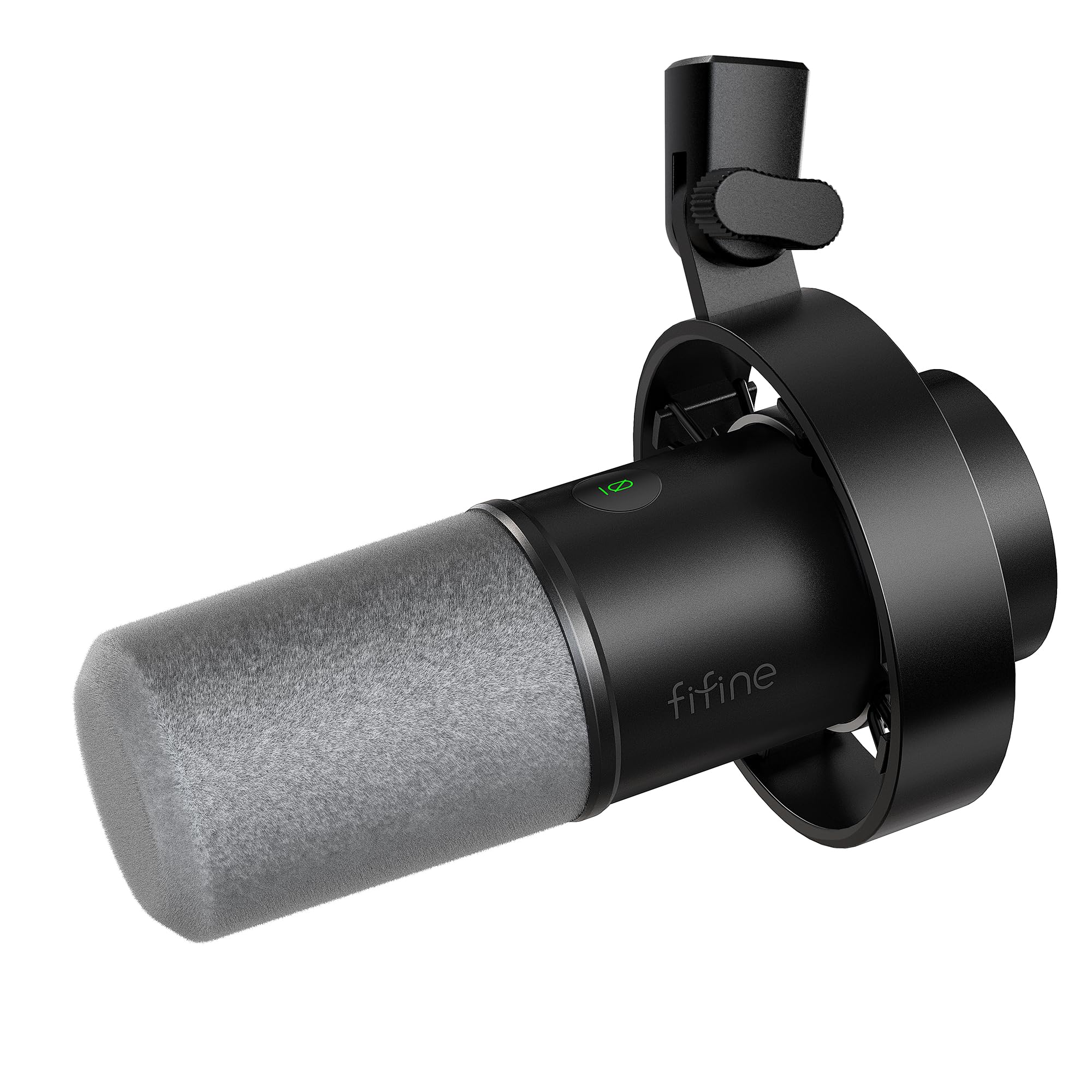
- USB and XLR connections support different recording setups.
- USB mode has mute, gain, and headphone monitoring controls.
- An included windscreen helps reduce plosive harshness, and the mic comes with a shock mount.
Best For: Podcasters who want a dynamic USB/XLR microphone with monitoring controls and a shock mount.
FIFINE AmpliTank K688P
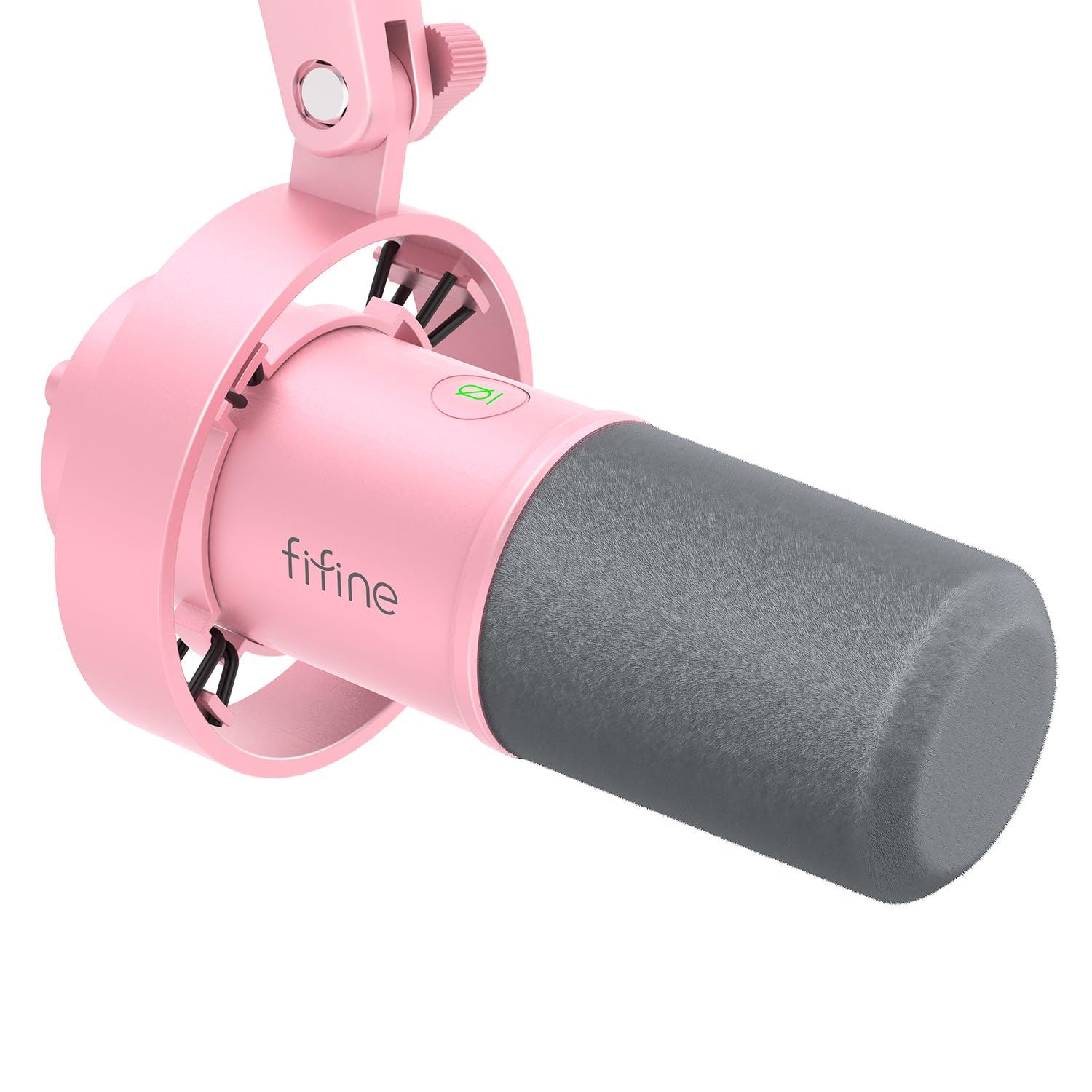
- USB and XLR connections serve computer and interface workflows.
- The microphone has a mute button and volume control.
- The package includes a shock mount and windscreen.
Best For: Podcasters who want USB or XLR recording and direct mute and monitoring controls over USB.
SteelSeries Alias
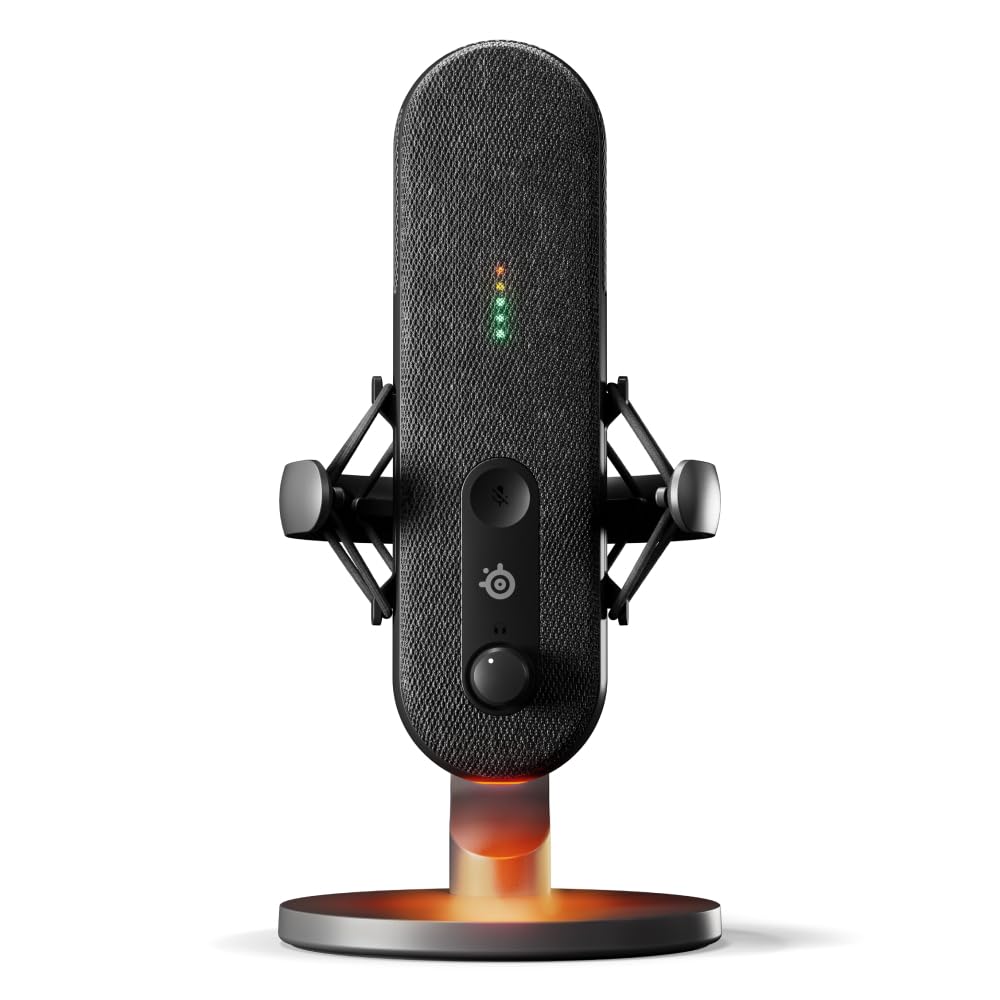
- USB connectivity is designed for PC use.
- Sonar software includes mixing and AI noise cancellation.
- LEDs show audio levels and mute status.
Best For: PC podcasters who want a USB microphone with visible mute and level status plus included software.
SteelSeries Alias Pro
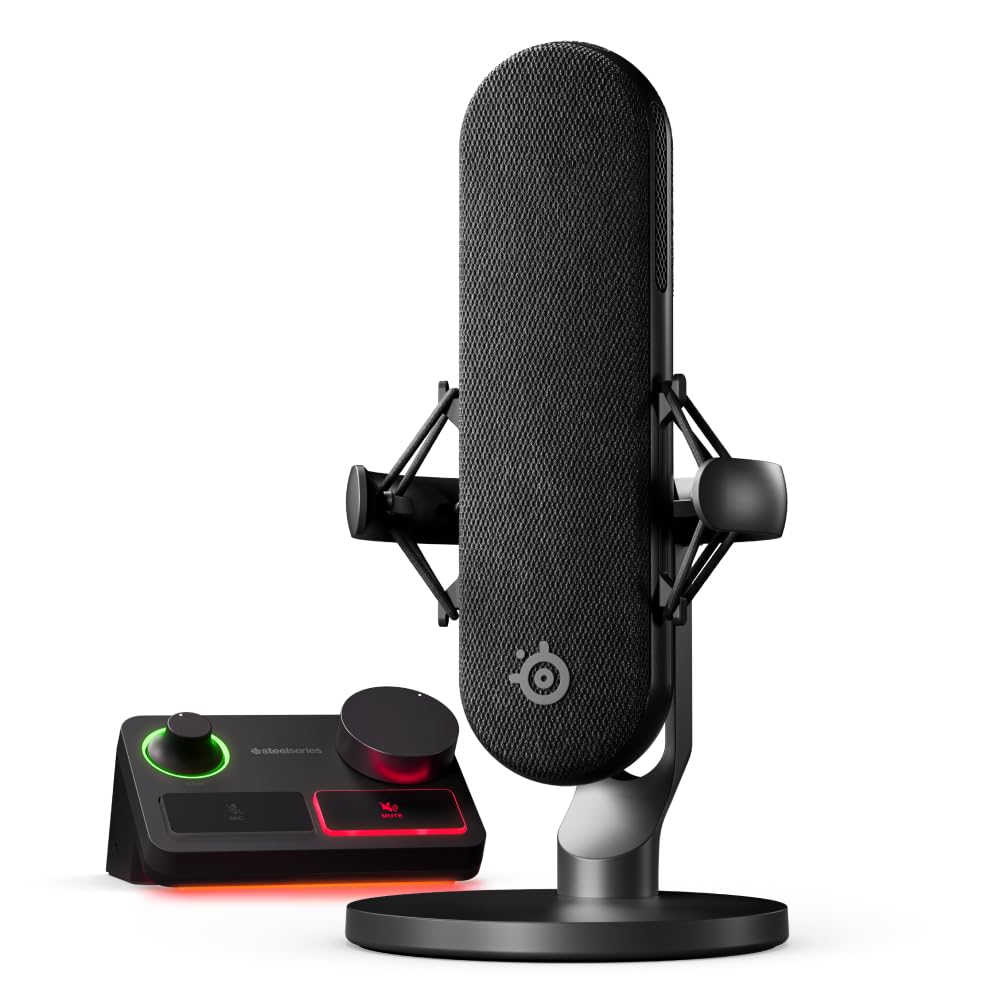
- The kit pairs an XLR microphone with a stream mixer.
- USB-C supports a one- or two-PC setup.
- Sonar software provides mixing and app routing.
Best For: PC podcasters who want an XLR microphone bundled with a mixer and software controls.
MAONO DM40
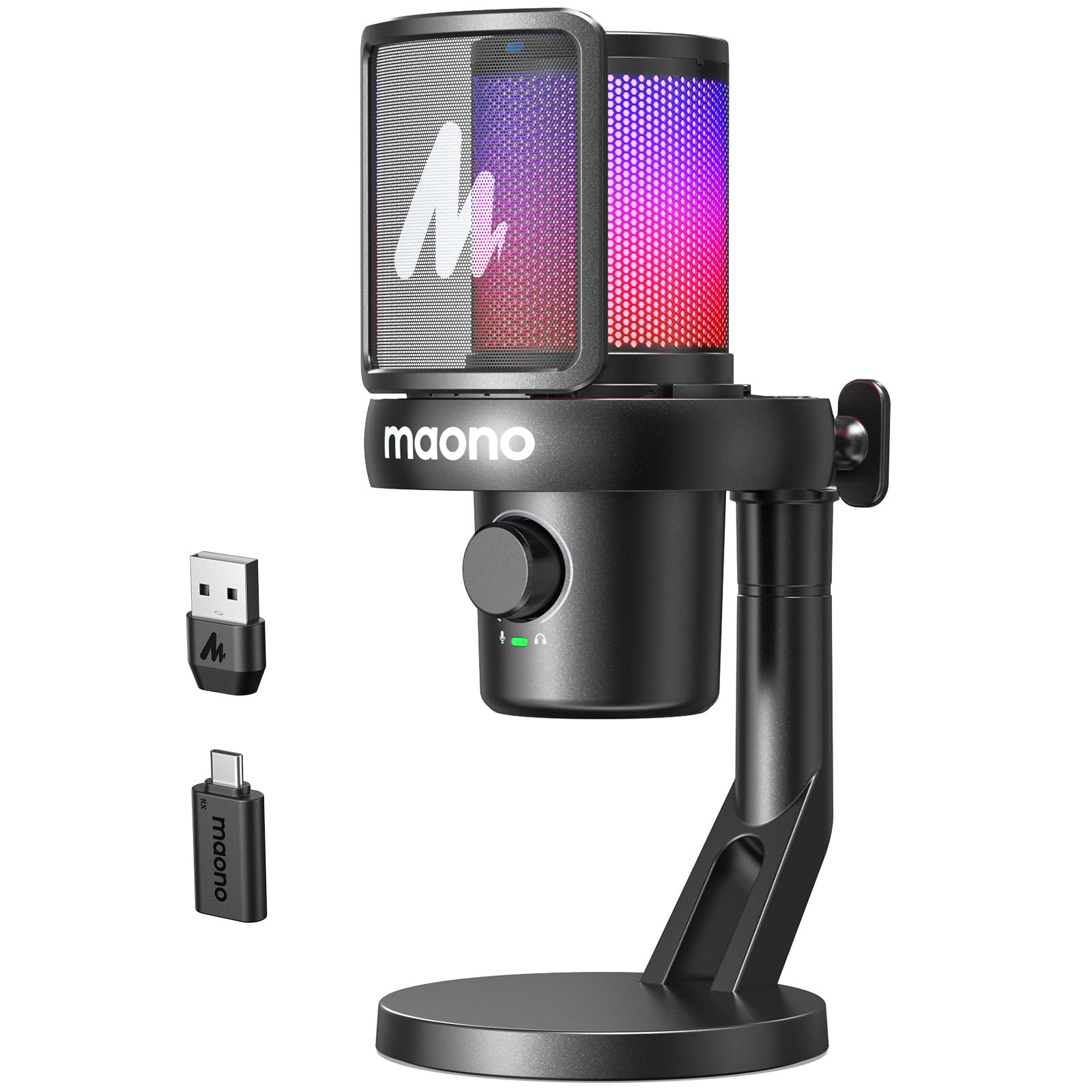
- Wireless use is rated for up to 40 hours of continuous use.
- Noise cancellation has three selectable levels.
- A USB-C cable and wireless USB-C dongle are included.
Best For: Podcasters who want to record wirelessly and move between desk, streaming, and voiceover tasks.
FIFINE AmpliGame AM8 White

- USB and XLR connections support computer and mixer setups.
- USB mode has tap-to-mute, gain, and headphone controls.
- The suggested recording range is 2 to 6 inches.
Best For: Podcasters who want a dynamic microphone with USB controls, an XLR option, and a boom arm included.
FIFINE AmpliGame AM8T
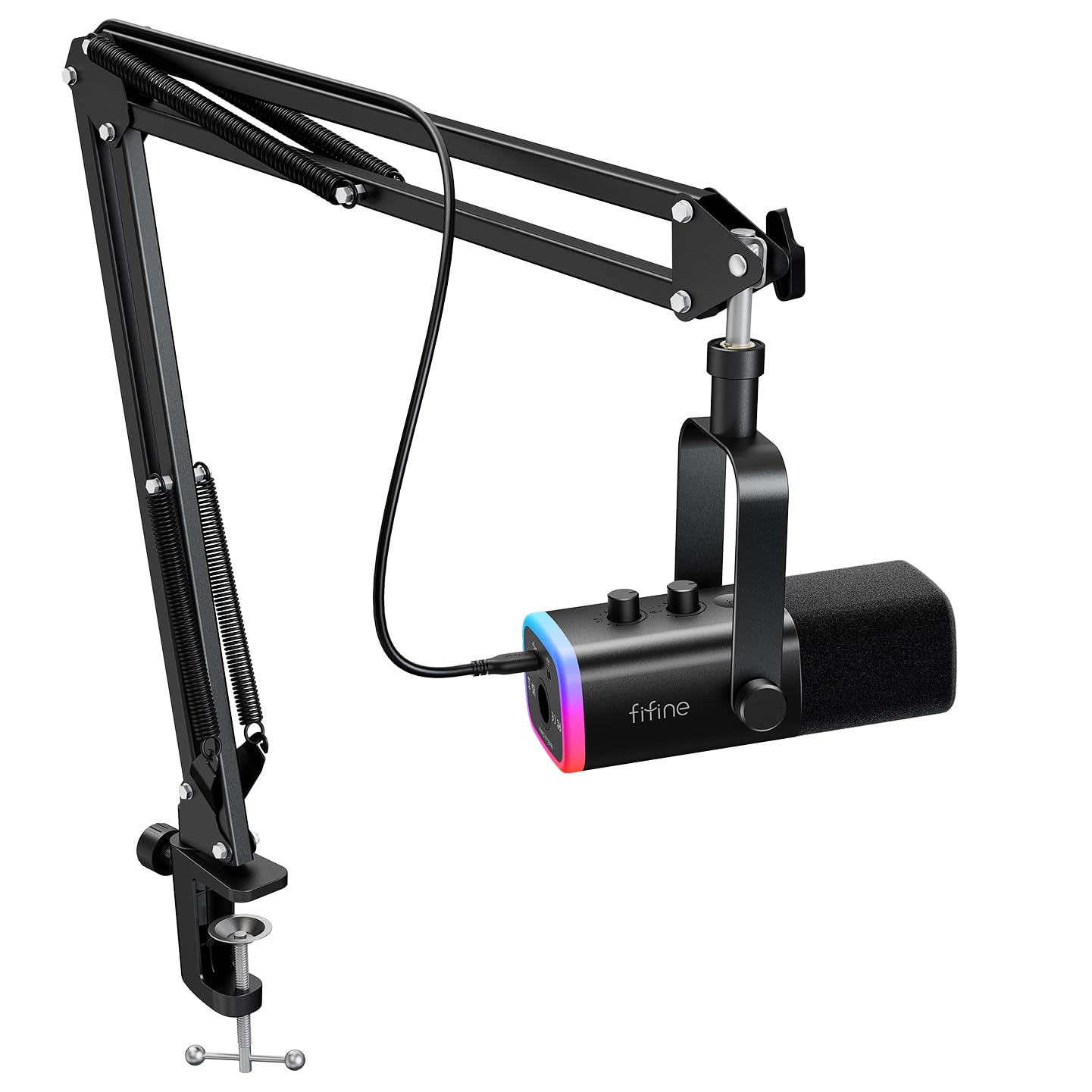
- USB and XLR connectivity support computer or audio-interface setups.
- The kit includes a dynamic microphone and boom arm stand.
- The desk clamp has an anti-scratch pad and fits desktops less than 2 inches thick.
Best For: Podcasters who want an included boom arm and USB/XLR connectivity in a dynamic microphone kit.
USB-to-XLR Starter Kit
Samson Q2U Dynamic USB-C/XLR Microphone
The Samson Q2U combines USB-C and XLR connections in a handheld dynamic microphone, so it can connect directly to a compatible computer or join an XLR recording setup. Its package includes a desktop tripod stand, extension, mic clip, windscreen, and both USB-C and XLR cables.
That makes it a practical starting point for a simple spoken-word setup without shopping separately for basic connections and placement. Check your computer's port and how you plan to position the mic: the included stand is a desktop tripod, and the record does not specify software controls or a headphone-monitoring jack.
Best For: Podcasters who want one microphone for computer recording now and an XLR setup later.
| Pros | Cons |
|---|---|
|
|
Choose the Q2U if you want the flexibility to record by USB now and connect through XLR later. The included cables and desktop stand cover basic setup needs.
Its handheld format and tripod placement suit a close, desk-based recording position; the supplied facts do not identify onboard monitoring or level controls. Confirm that the USB-C connection suits your computer and that a desktop stand provides the positioning you want.
Preset and EQ Controls
MAONO Dynamic Microphone-XLR USB Podcast Recording Mic: for Vocal Recording, Content Creation, Home Studio, Voiceover, with 192kHz/24bit, Noise Reduction, Mic Gain, Monitoring, Mute (PD300X)
The MAONO PD300X pairs USB and XLR connections with software tools for shaping a podcast voice. MAONO Link provides a graphic EQ and adjustments such as limiters, compressors, and high-pass filters, while four preset modes offer quick starting points for different recording tasks.
The microphone also combines gain, headphone volume, and monitoring in a smart knob, with a mute button and zero-latency monitoring. Its noise-reduction system and foam filter are aimed at cleaner spoken-word recording.
Check which accessories come with the offer before buying; the supplied notes do not spell out the package contents.
Best For: Podcasters who want USB or XLR connections plus software tone shaping and recording presets.
| Pros | Cons |
|---|---|
|
|
Pick the PD300X if you want a microphone that can start as a USB device and later connect over XLR, with software tools for adjusting the sound. The presets and EQ offer more options than a basic plug-in setup, while the smart knob brings key controls together.
Before choosing it, check whether the offer includes the stand and cables your desk or interface requires; those details are not provided here.
App-Based USB/XLR Control
MAONO Dynamic Microphone, USB/XLR Podcast PC Microphone with Software, EQ,Tap-to-Mute, Headphone Jack, Gain Knob & Volume Control, Studio Mic for Broadcast, Recording, Streaming & Gaming (PD400X)
The MAONO PD400X is a dynamic podcast microphone with both USB and XLR outputs. USB offers plug-and-play computer use, while XLR can connect to an interface, mixer, or portable PA system.
With USB, the MAONO Link app adds standard and advanced modes, including EQ, limiter, compressor, gain, and monitor-mix adjustments. A three-in-one knob handles mic gain, headphone volume, and monitor mix, and a touch mute key has an LED indicator.
The combination suits a podcaster who wants a direct setup now and more control over time. Check whether you need a stand or cable beyond what comes with your chosen offer.
Best For: Podcasters who want USB convenience, XLR flexibility, and detailed software controls.
| Pros | Cons |
|---|---|
|
|
Choose the PD400X if its app adjustments and dual connections match your recording plans. It has a 3-in-1 knob for mic gain, headphone volume, and monitor mix, plus tap-to-mute with an LED indicator.
The MAONO Link app supports EQ, limiter, and compressor adjustments in USB mode, while USB and XLR outputs support computer and compatible audio-gear connections. Package accessories are not specified, so check what is included and whether you need a stand or XLR cable.
Dynamic Mic With USB Monitoring
FIFINE Dynamic Microphone, XLR/USB Podcast Recording PC Microphone for Vocal Voice-Over Streaming, Studio Metal Mic with Mute, Headphone Jack, Monitoring Volume Control, Windscreen-Amplitank K688
The FIFINE AmpliTank K688 combines USB and XLR connections in a dynamic microphone built for podcasting and voice recording. In USB mode, its front-panel mute, gain knob, headphone jack, and headphone-volume control give you direct access to recording and monitoring adjustments.
Its cardioid pattern and included windscreen and shock mount address background noise, plosives, and desk vibration. The package includes an 8.2-foot USB-C to USB-A cable and a thread adapter, but not an arm stand, mic stand, or XLR cable.
That accessory tradeoff matters if you plan to use an XLR chain or need to position it off the desk.
Best For: Podcasters who want a dynamic USB/XLR microphone with monitoring controls and a shock mount.
| Pros | Cons |
|---|---|
|
|
The K688 is a fit if you want dynamic USB recording with monitoring and an XLR option for later. Its included shock mount and windscreen help cover common desk-recording concerns, but the package leaves mounting gear and the XLR cable to you.
The onboard controls work only in USB mode, so consider whether you will need those adjustments when connected through an interface.
USB/XLR Voice Control
FIFINE XLR/USB Dynamic Microphone, Studio XLR Vocal Podcast Microphone for Recording, USB Streaming Mic with Mute Button, Gain Knob, Headphones Monitoring for Voice-Over, Video-Amplitank K688 Pink
The FIFINE AmpliTank K688P offers USB and XLR connections for vocal recording, podcasting, and streaming. Over USB, its mute and volume controls, headphone jack, and monitoring-volume knob make it possible to manage input and listen back directly from the microphone.
A cardioid pattern, shock mount, and windscreen are included to help with environmental noise, desk vibration, and plosive sounds. The package also contains an 8.2-foot USB cable and a thread adapter.
It does not include an arm stand, mic stand, or XLR cable, so factor those into an interface-based setup. The listed control functions are USB-only.
Best For: Podcasters who want USB or XLR recording and direct mute and monitoring controls over USB.
| Pros | Cons |
|---|---|
|
|
Consider the K688P if USB controls and the option to use XLR are both useful to your podcast setup. It arrives with a shock mount and windscreen, but mounting equipment and an XLR cable are separate needs.
If you intend to record through an interface, remember that the mute and monitoring controls are USB-only. Check your planned connection and desk mounting before buying.
USB Desk Mic With Level Monitoring
SteelSeries Alias USB Mic for PC — 3x Bigger Capsule for Gaming, Streaming and Podcasting — Sonar for Streamers Audio Software — AI Noise Cancelling — LED Mute & Level Monitoring — Shock Mount
The SteelSeries Alias is a USB microphone for PC recording, streaming, and podcasting. Its cardioid pattern and capsule advertised as up to three times bigger than other mics are central features, while Sonar software adds mixing, app routing, and AI noise cancellation.
LEDs on the microphone show audio levels and mute status, and an integrated shock mount reduces unwanted vibrations. A desktop stand is included, and the mic is also compatible with a boom arm sold separately.
This is a PC-focused choice with software and visible controls; check that USB connectivity suits your setup if you expect to use an XLR interface.
Best For: PC podcasters who want a USB microphone with visible mute and level status plus included software.
| Pros | Cons |
|---|---|
|
|
Choose the Alias if your podcast is PC-based and you value visible level and mute status, plus software routing and audio tools. The included desktop stand supports a straightforward setup, while a boom arm requires a separate purchase.
Its USB-focused connection makes it less suitable if your plan depends on XLR hardware; confirm that its connection and software workflow fit the devices you use.
XLR Mic and Stream Mixer Kit
SteelSeries Alias Pro Kit — XLR Mic + Stream Mixer — 3x Bigger Capsule for Gaming, Streaming and Podcasting — USB/XLR Interface — Free Sonar Audio Software — Custom Controls — RGB — Single or Dual PC
The SteelSeries Alias Pro Kit pairs an XLR microphone with an XLR stream mixer and USB-C connectivity for one or two PCs. Its cardioid mic has a capsule advertised as up to three times bigger than other mics, and the integrated shock mount helps reduce unwanted vibration.
The mixer adds customizable controls and RGB lighting, while free Sonar software provides mixing and app routing tools. The kit is aimed at a more involved streaming or podcast station than a bare USB mic.
Check the full included accessories before buying: the notes identify the mic and mixer, but do not detail every cable or mounting item.
Best For: PC podcasters who want an XLR microphone bundled with a mixer and software controls.
| Pros | Cons |
|---|---|
|
|
The Alias Pro Kit suits podcasters building around XLR and who want a mixer in the same package. Its USB-C link supports one or two PCs, while Sonar adds software routing and mixing.
The extra hardware makes this a more involved setup than a direct USB mic, so check the included cables and mounting accessories against the mixer, computer, and desk arrangement you plan to use.
Wireless Desk Recording
MAONO Wireless Microphone for PC,Gaming Streaming Condenser Mic with Software AI Voice Change,3-Level Noise Cancellation,Custom EQ,Gain Control USB Mic for Podcast Recording (DM40-Black)
The MAONO DM40 is a wireless condenser microphone with a USB-C dongle and cable for switching between wireless and wired use. Its notes give up to 40 hours of continuous use and describe three noise-cancellation levels, scene presets, EQ, gain, mute, monitoring, and RGB controls through the microphone or Maono Link software.
That flexibility can suit a creator who wants to move around instead of staying tethered to a desk. The supplied facts do not specify wireless range or charging time, so check those details if your recording space or session length depends on them.
Best For: Podcasters who want to record wirelessly and move between desk, streaming, and voiceover tasks.
| Pros | Cons |
|---|---|
|
|
Pick the DM40 if freedom from a fixed USB cable is useful for your podcast or related recording work. The included dongle and cable support both modes, and its software offers scene presets and noise-cancellation adjustments.
The listed battery figure is up to 40 hours, but wireless range and charge time are not specified. Check those practical details before relying on it for a particular room or long session.
USB/XLR With Boom Arm Kit
FIFINE XLR/USB Gaming Microphone for Streaming Podcasting, PC Computer RGB Mic, with Gain Knob, Mute Button, Monitoring Jack, Gamer Mic for Recording Video Creation-AmpliGame AM8 White
The white FIFINE AmpliGame AM8 is a dynamic USB/XLR microphone for podcasting, streaming, and voiceovers. USB enables controls on the mic, including tap-to-mute, gain, headphone monitoring, and headphone-volume adjustment; RGB lighting is also available over USB.
XLR provides a connection option for a mixer or sound card. The end-addressing design should face the audio source, and the suggested recording range is 2 to 6 inches.
This offer is the microphone rather than the AM8T boom-arm kit, so check what mounting hardware you already have. The color and control scheme may fit a white desk setup.
Best For: Podcasters who want a dynamic microphone with USB controls, an XLR option, and a boom arm included.
| Pros | Cons |
|---|---|
|
|
This AM8 version fits someone who wants dynamic USB/XLR flexibility and direct controls in a white setup. Its USB mode adds monitoring, mute, gain, and lighting; XLR serves a mixer or sound card.
The supplied product title does not identify a boom arm, unlike the AM8T kit, so check the offer's included mounting gear. Also plan to position the end-addressing mic toward your voice within the suggested range.
Dynamic Podcast Kit With Arm
FIFINE XLR/USB Gaming Microphone Set, Dynamic PC Mic for Streaming Podcasting, Computer RGB Mic Kit with Boom Arm Stand, Mute Button, Headphones Jack, for Recording Vocal Voice-Over-AmpliGame AM8T
The FIFINE AmpliGame AM8T is a dynamic USB/XLR microphone kit that includes a boom arm stand. USB offers plug-and-play computer use, with a mute button, gain knob, headphone jack, and headphone-volume control for recording and monitoring.
The cardioid pattern is paired with a windscreen, and the mic's RGB can be changed or turned off from its button. The clamp fits desks less than 2 inches thick, and the package includes an 8.2-foot USB-to-USB-C cable.
An XLR cable is not included, so account for that separately if you plan to connect through a mixer or sound card.
Best For: Podcasters who want an included boom arm and USB/XLR connectivity in a dynamic microphone kit.
| Pros | Cons |
|---|---|
|
|
Choose the AM8T if you want a dynamic USB/XLR mic with a boom arm in the package. USB covers a simple computer setup and offers direct controls, while XLR leaves room for compatible audio gear.
Check that the clamp fits your desk and buy an XLR cable if needed. The mic is aimed at close spoken-word recording, so plan its position around your workspace and the arm's reach.
How to Choose Microphones For Podcasting
How We Picked Podcast Microphones
This selection prioritizes microphones with a clear fit for spoken-word recording and distinguishes the workflows they support. USB options simplify computer connection; USB/XLR models can move between direct recording and compatible audio gear; an XLR kit with a mixer or a wireless option serves a more specialized setup.
Included stands, arms, cables, mute controls, headphone monitoring, and software features also affect how much of a recording workflow each product supports out of the box.
The roundup includes dynamic microphones for podcast-focused setups alongside selected USB choices with clear positioning or control features. Some products are aimed at gaming and streaming as well as podcasts, so the deciding factors are their connection options, included mounting equipment, and recording controls.
Accessories differ substantially, and the product cards call out missing cables or stands where the notes identify them.
Comparing Podcast Microphones
Start with the connection you need. The Samson Q2U and MAONO PD400X offer both USB and XLR, while the SteelSeries Alias is PC-focused USB and the Alias Pro pairs an XLR mic with a mixer.
The FIFINE K688 family also supports USB and XLR, but its onboard mute and monitoring controls work only in USB mode. The MAONO DM40 adds wireless use and software settings.
Next, compare how each mic sits in your space. The AM8T and FIFINE T669 include boom-arm equipment, while the Q2U includes a desktop tripod.
The K688 offers a shock mount but no stand or arm, and SteelSeries Alias includes a desktop stand with a boom arm sold separately. Check whether your desk accepts a clamp and whether your interface setup needs an additional XLR cable.
| Product | Standout features | Best for |
|---|---|---|
| Samson Q2UCheck Price |
| Podcasters who want one microphone for computer recording now and an XLR setup later. |
| MAONO PD300XCheck Price |
| Podcasters who want USB or XLR connections plus software tone shaping and recording presets. |
| MAONO PD400XCheck Price |
| Podcasters who want USB convenience, XLR flexibility, and detailed software controls. |
| FIFINE AmpliTank K688Check Price |
| Podcasters who want a dynamic USB/XLR microphone with monitoring controls and a shock mount. |
| FIFINE AmpliTank K688PCheck Price |
| Podcasters who want USB or XLR recording and direct mute and monitoring controls over USB. |
| SteelSeries AliasCheck Price |
| PC podcasters who want a USB microphone with visible mute and level status plus included software. |
| SteelSeries Alias ProCheck Price |
| PC podcasters who want an XLR microphone bundled with a mixer and software controls. |
| MAONO DM40Check Price |
| Podcasters who want to record wirelessly and move between desk, streaming, and voiceover tasks. |
| FIFINE AmpliGame AM8 WhiteCheck Price |
| Podcasters who want a dynamic microphone with USB controls, an XLR option, and a boom arm included. |
| FIFINE AmpliGame AM8TCheck Price |
| Podcasters who want an included boom arm and USB/XLR connectivity in a dynamic microphone kit. |
Choosing USB or XLR for a Podcast Setup
A USB microphone connects directly to a computer and can reduce the number of components involved. The PD400X, K688, and AM8 models combine USB with XLR, giving you an option to connect to an interface or mixer later.
Keep in mind that USB-only controls may not work through XLR, as the K688 and AM8 notes make clear.
An XLR setup requires compatible audio gear and a cable, so review what each package contains. The Alias Pro includes an XLR mic and stream mixer, while the K688 does not include an XLR cable.
If your podcast is recorded on a computer without a mixer or interface, a direct USB connection is the simpler starting point among these options.
Desk Placement, Monitoring, and Room Fit
Mounting gear changes how easy it is to keep a microphone positioned consistently. A boom arm can bring the mic closer while freeing desk space, but clamp thickness matters: the AM8T clamp fits desks under 2 inches thick, and the AM8T package includes the arm.
The Q2U uses a desktop tripod, while the DM40's wireless setup can suit creators who need to move away from the desk.
Monitoring and mute controls are useful during recording sessions. The PD400X's knob adjusts gain, headphone volume, and monitor mix; the K688 and AM8 offer headphone controls over USB.
SteelSeries Alias has visible LED level and mute status. If you record in a room with background noise, consider the dynamic options and their cardioid patterns, but microphone choice alone does not establish room performance; placement and the specific recording space still matter.
Who Should Buy Which Podcast Microphone?
For a simple USB-to-XLR path with cables and a desktop stand included, consider the Samson Q2U. Choose the PD400X or PD300X if app-based adjustments and presets matter to your workflow.
The K688 suits a podcaster who wants a dynamic mic with USB monitoring and a shock mount, provided the separate stand and XLR cable are accounted for.
For a desk with room for an arm, the AM8T includes one; check clamp fit and remember its XLR cable is separate. The Alias Pro fits a PC recording station built around an XLR mic and mixer, while the Alias favors USB connection and software routing.
Choose the DM40 if wireless flexibility is the main draw, after checking range and charging details for your use.